Impact & Benefits
The Numbers
20% reduction in time spent managing RFPs for corporate legal teams.
15% increase in user satisfaction (internal survey).
Global Innovation Awards (LegalTech) finalist.
Shipped with native integrations into TyMetrix 360 and Passport at launch.
Product Overview
LegalCollaborator is a competitive bidding platform for corporate legal departments. It gives in-house teams a single place to engage outside counsel, replacing manual RFPs with structured digital workflows. Firms are compared on more than just price (staffing, diversity, value, and past performance), and every interaction lives inside a secure, auditable system that plugs into the rest of the Wolters Kluwer ELM ecosystem.
The Problem
Legal ops teams were running outside counsel selection on email and spreadsheets. Too much manual work, not enough insight.
Inconsistent RFP formats across firms.
No structured way to compare proposals side by side.
No visibility into spend, staffing, or how past engagements actually performed.
Selection took weeks and left audit gaps.
What It Unlocked
One platform to draft RFPs, distribute them, collect responses, and compare proposals side by side — replacing email, spreadsheets, and shared drives.
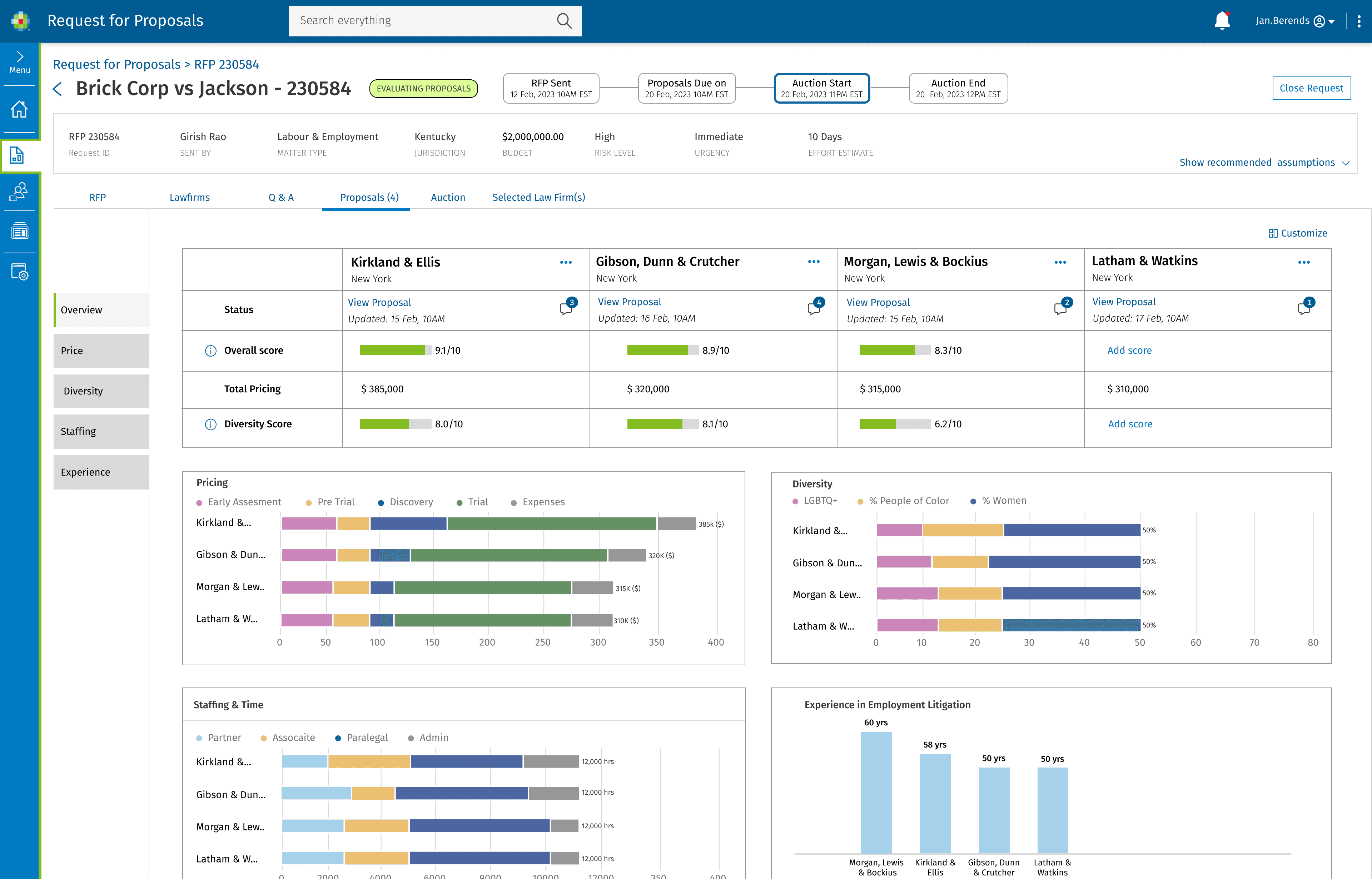
Structured comparison views evaluating firms on pricing, staffing, diversity, and past performance. Not just hourly rates.
Standardized data giving legal ops and finance real spend and staffing visibility for the first time.
Research & Discovery
Interviews
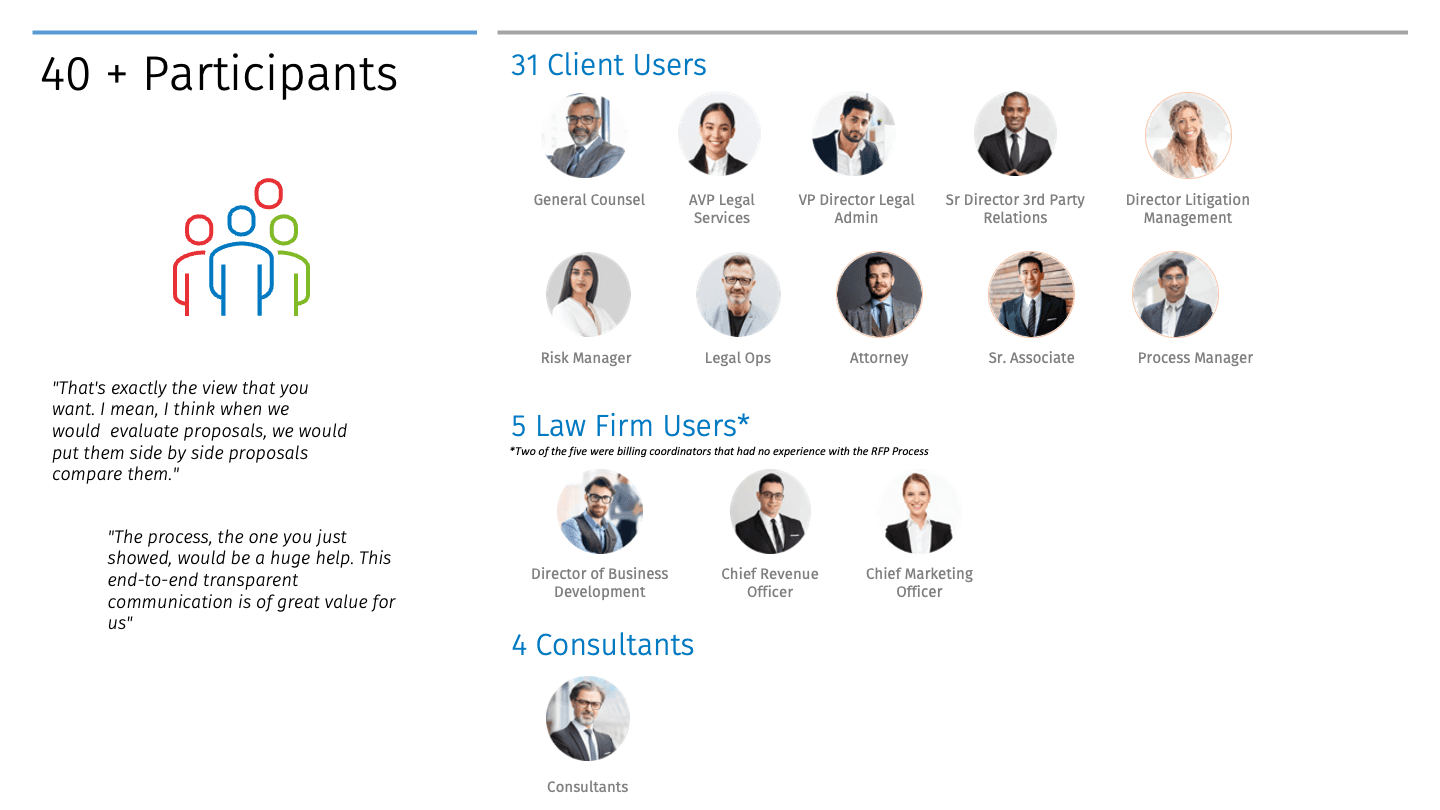
30+ legal professionals across corporate legal departments and law firms. Goal: understand the formal process and the informal workarounds built around broken tooling.
Competitor Analysis
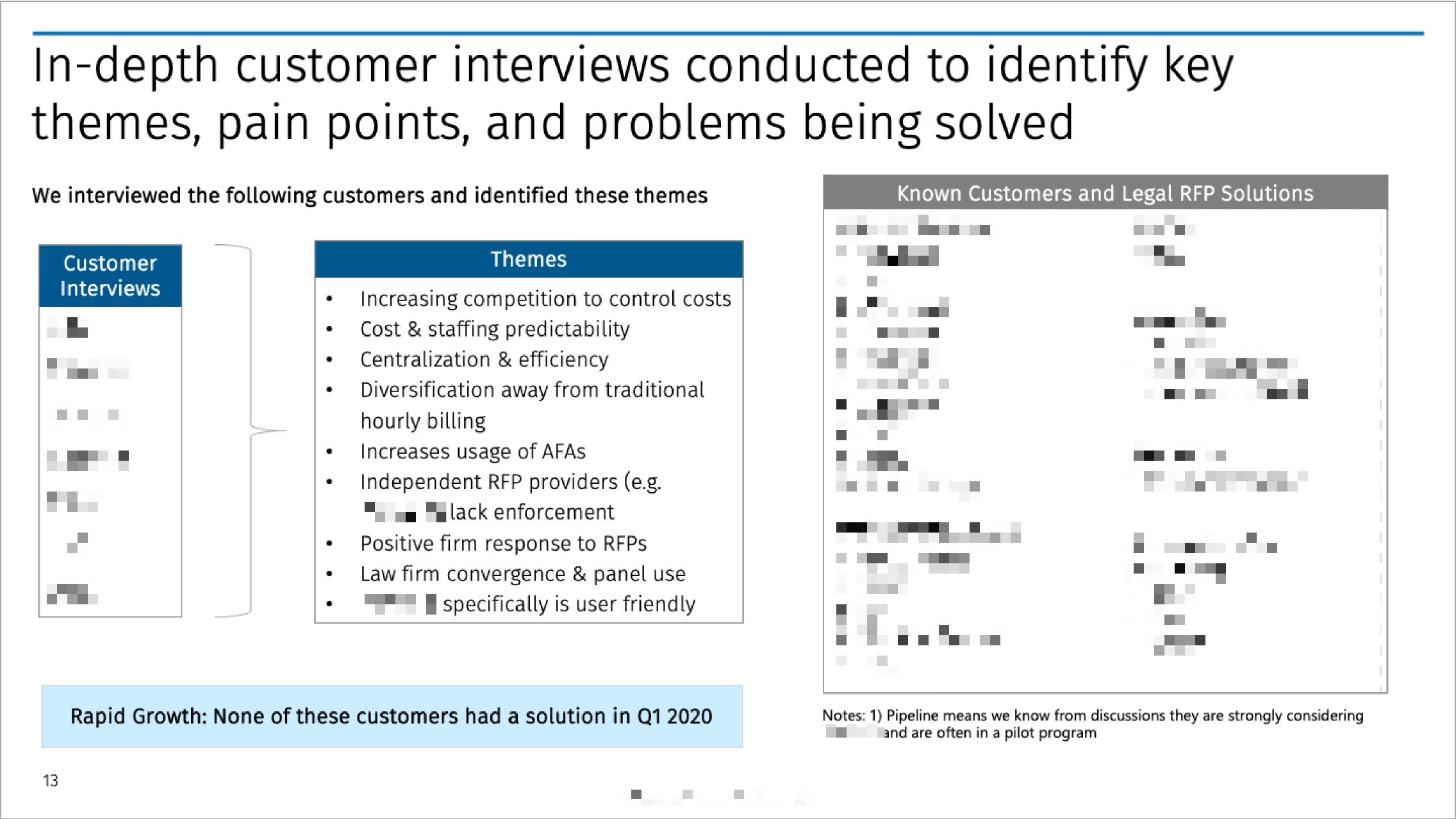
Four competitors benchmarked (names withheld, NDA). Opportunities: native ELM-suite integration no competitor offered; templates that flex per client; post-engagement performance data feeding future selection; a DEI-aware platform for both sides.
Identified Opportunities
LegalCollaborator could uniquely position itself by:
Native integration with the Wolters Kluwer ELM suite (Passport, TyMetrix 360). No one else offers this.
Standardized RFP templates that flex to each client's specific workflow.
Post-engagement performance data feeding back into future selection decisions.
A secure, DEI-aware platform built for both sides of the engagement, not just one.
User Insights
Four patterns showed up across every conversation
Fragmented tooling: Teams were running RFPs through some combination of Microsoft Office, Jira, and SAP Ariba. No single source of truth.
Capacity constraints: Every persona named time, staffing, or budget as the bottleneck. Not the strategy.
Pricing complexity: Legal billing is non-standardized and heavily regulated. Existing tools weren't built for that nuance.
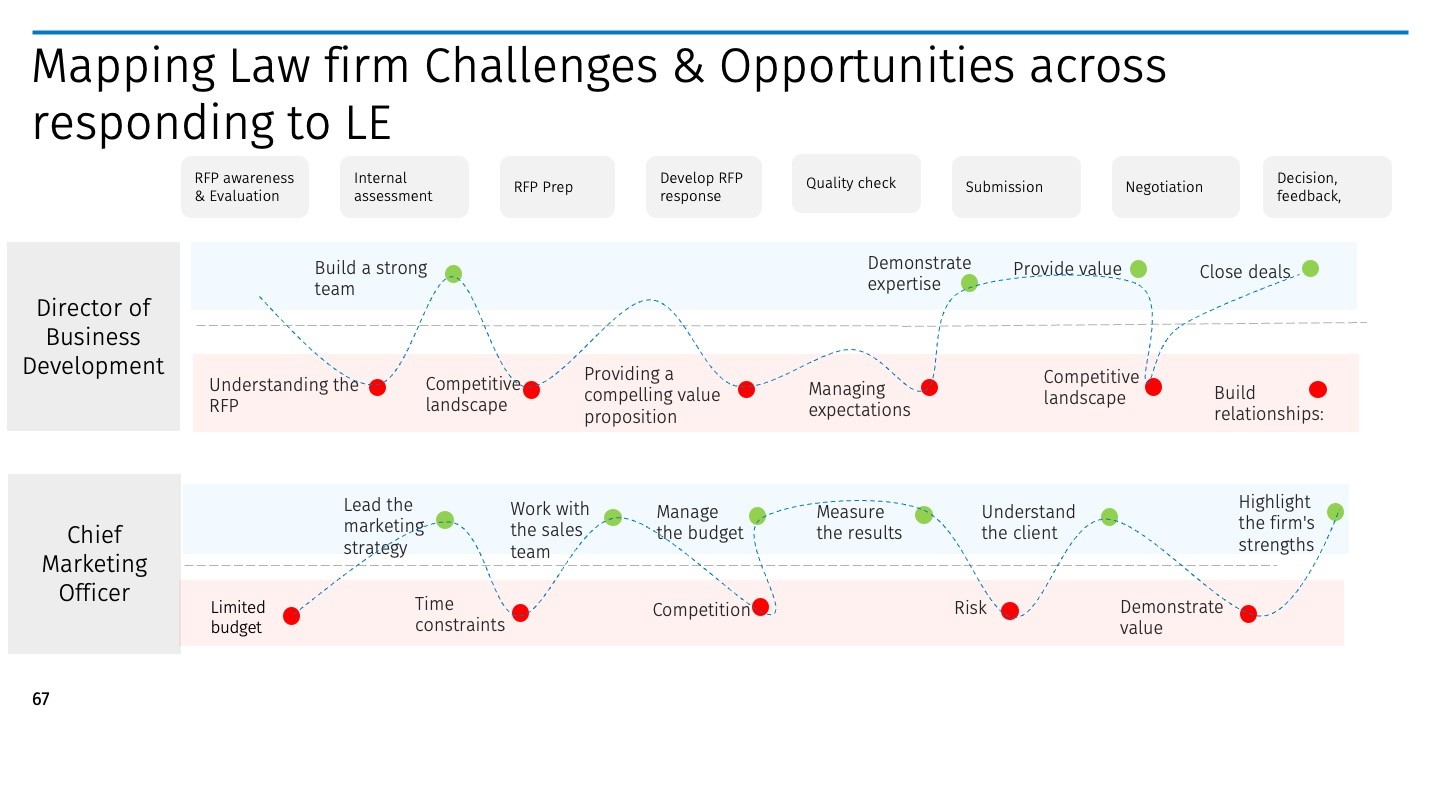
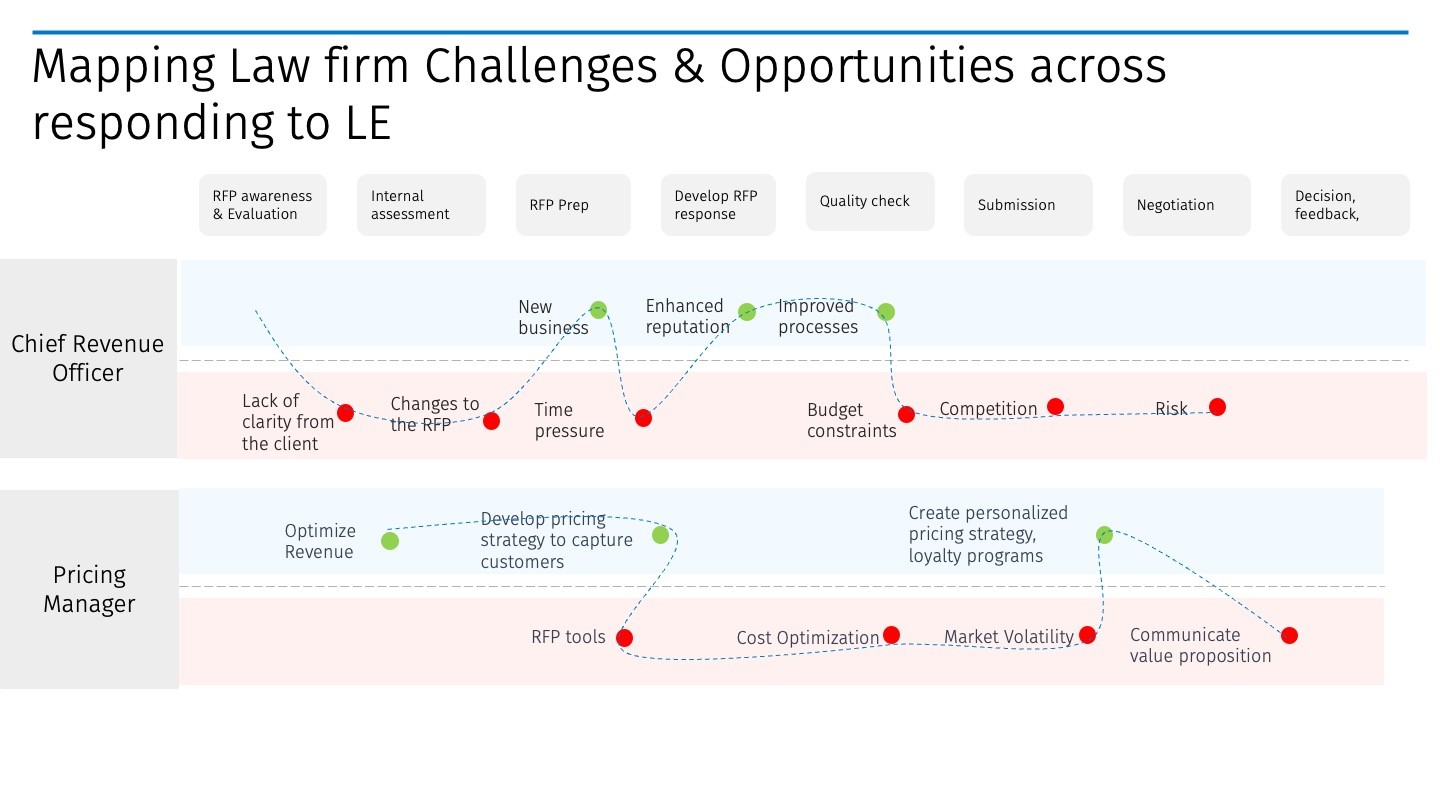
Internal misalignment: Attorneys, pricing managers, and legal ops were working off different information, which slowed every decision and created compliance risk.
Initial Concepts
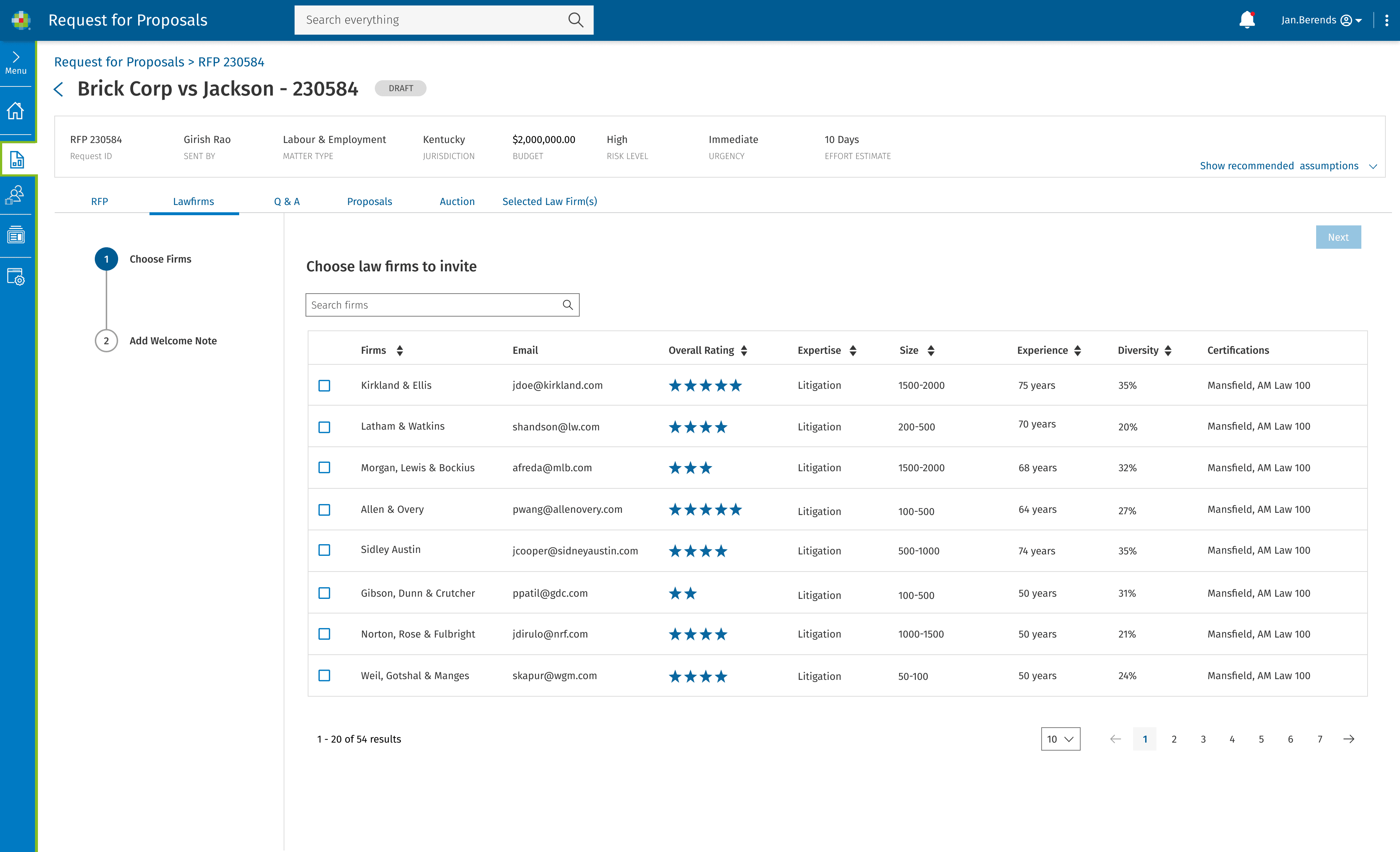
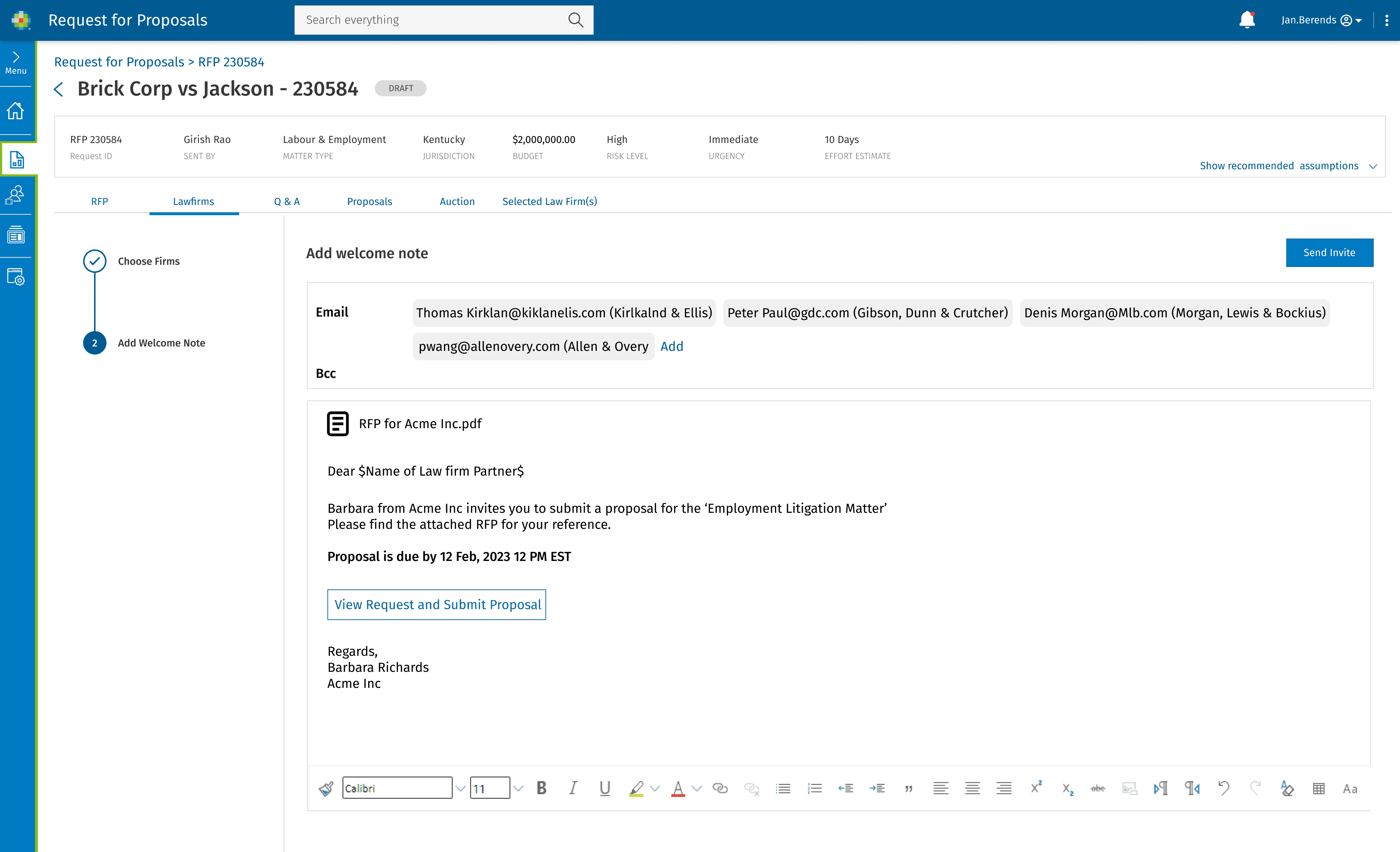
Concepts developed from existing client insights and broader market research.
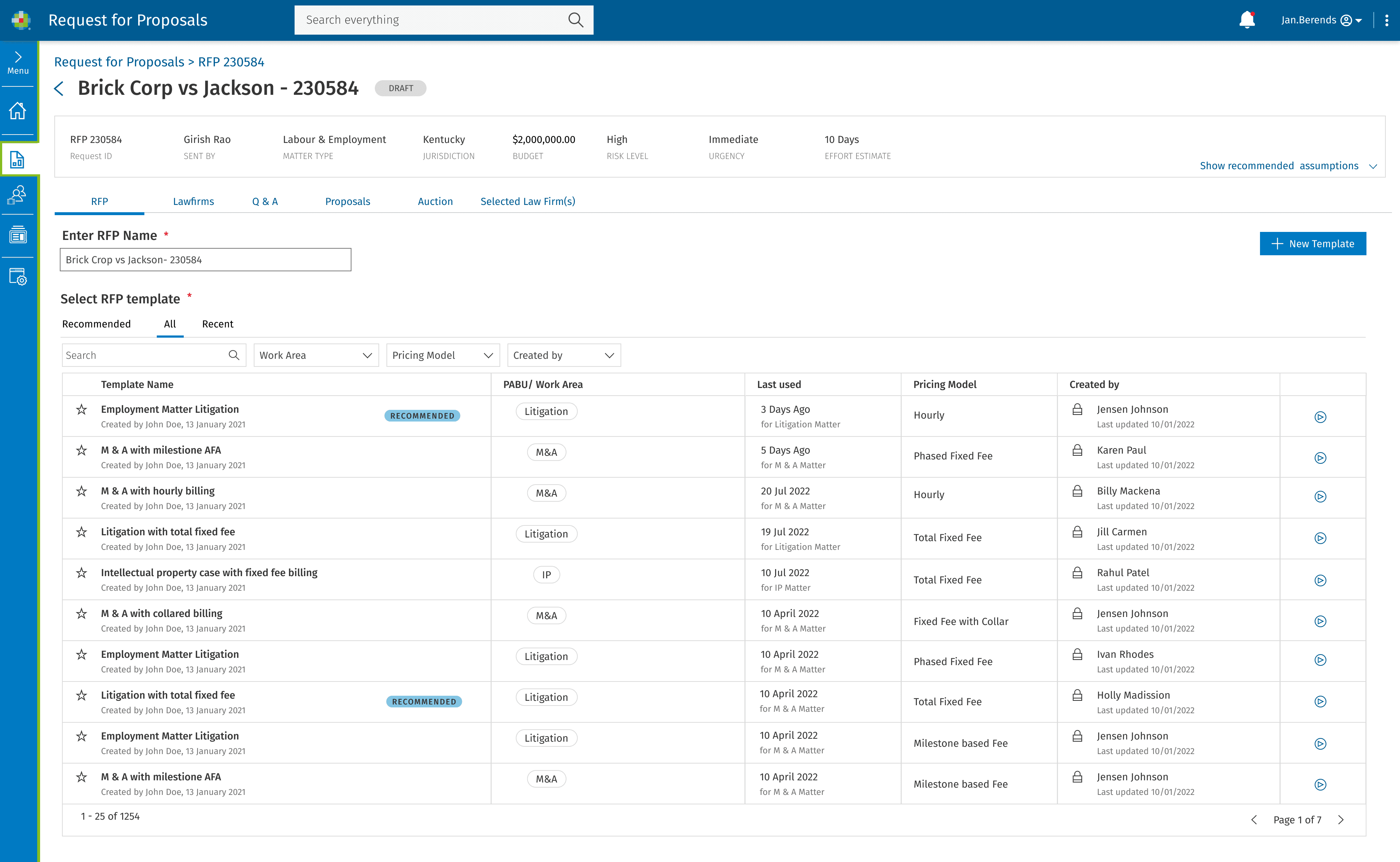
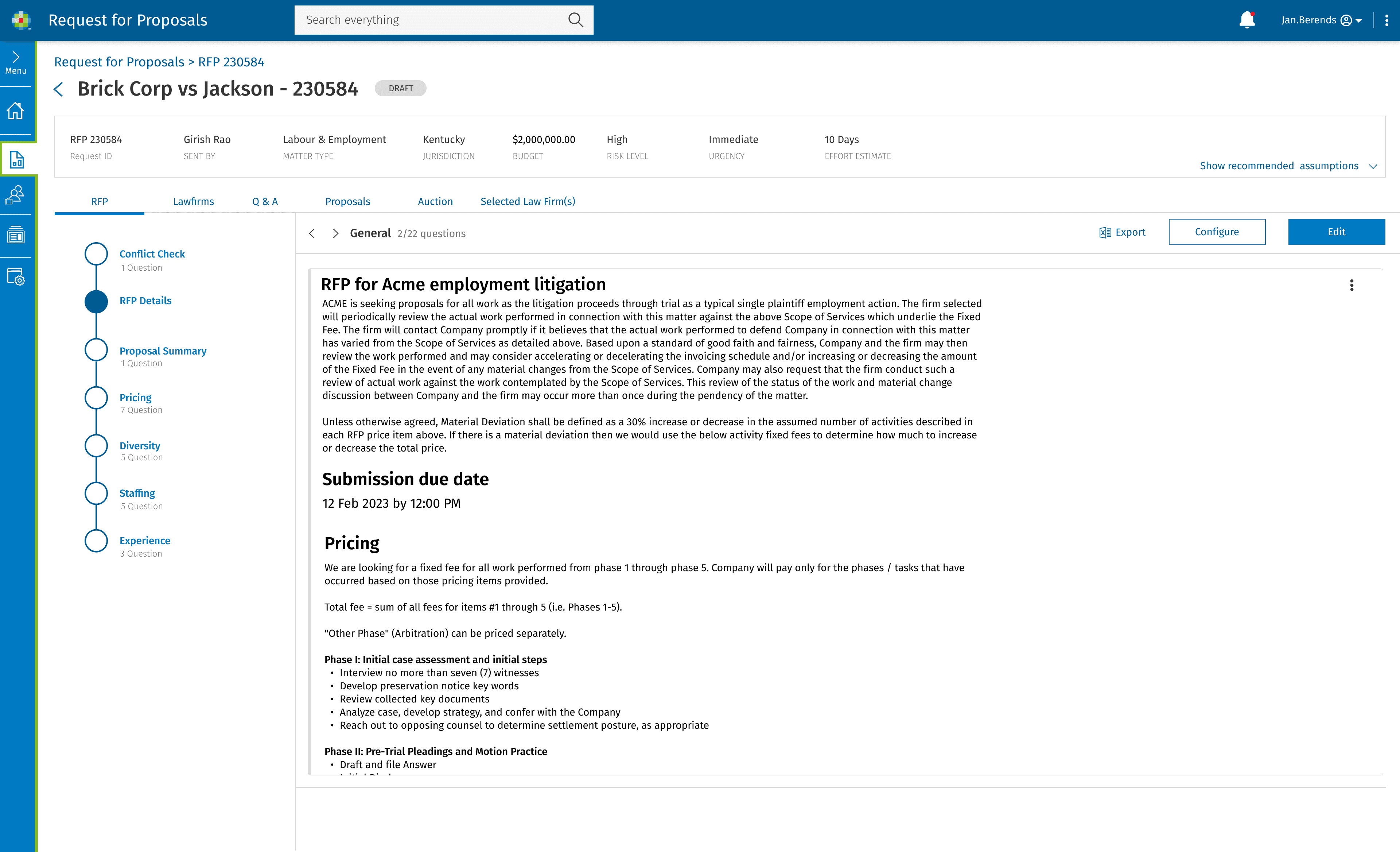
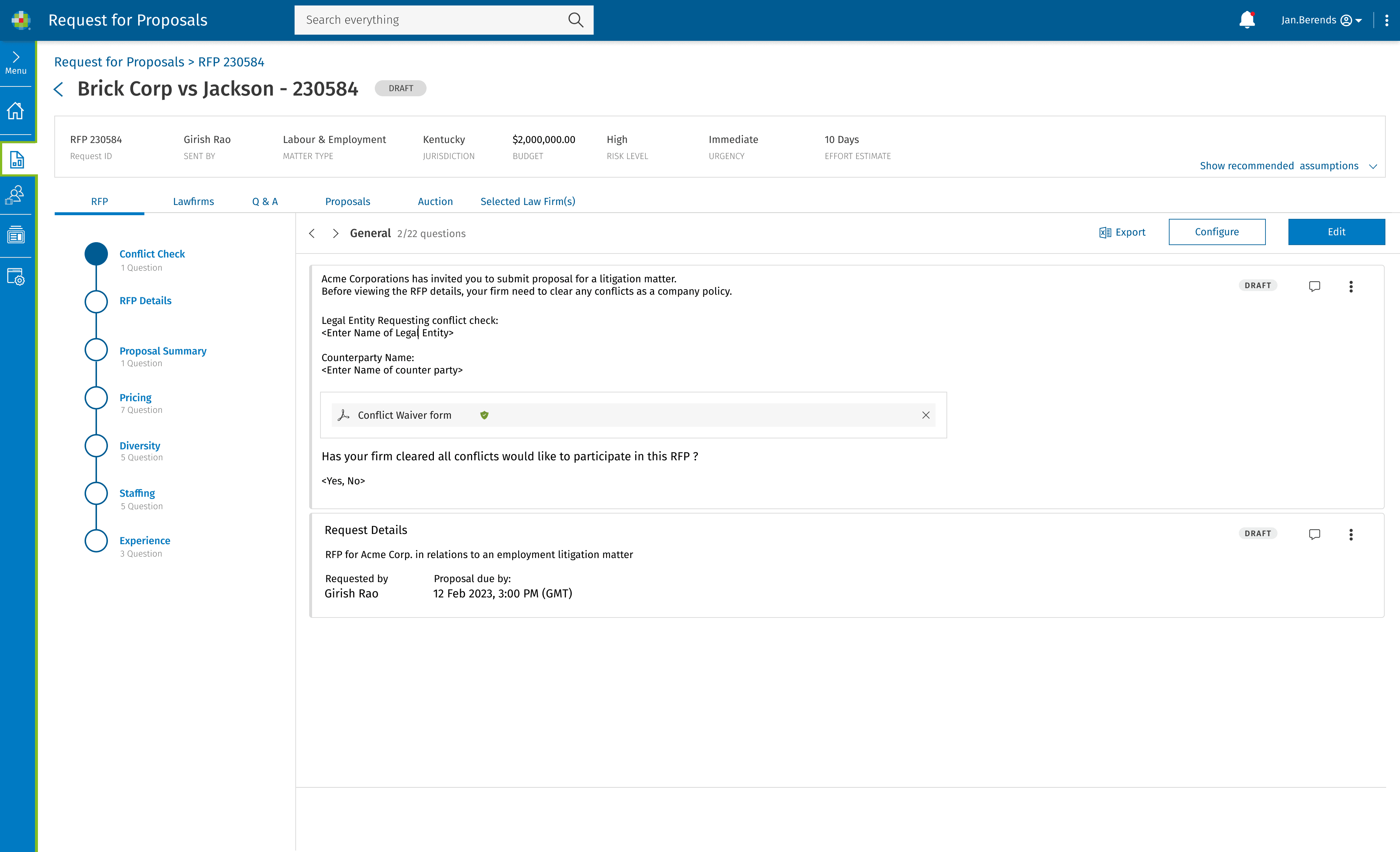
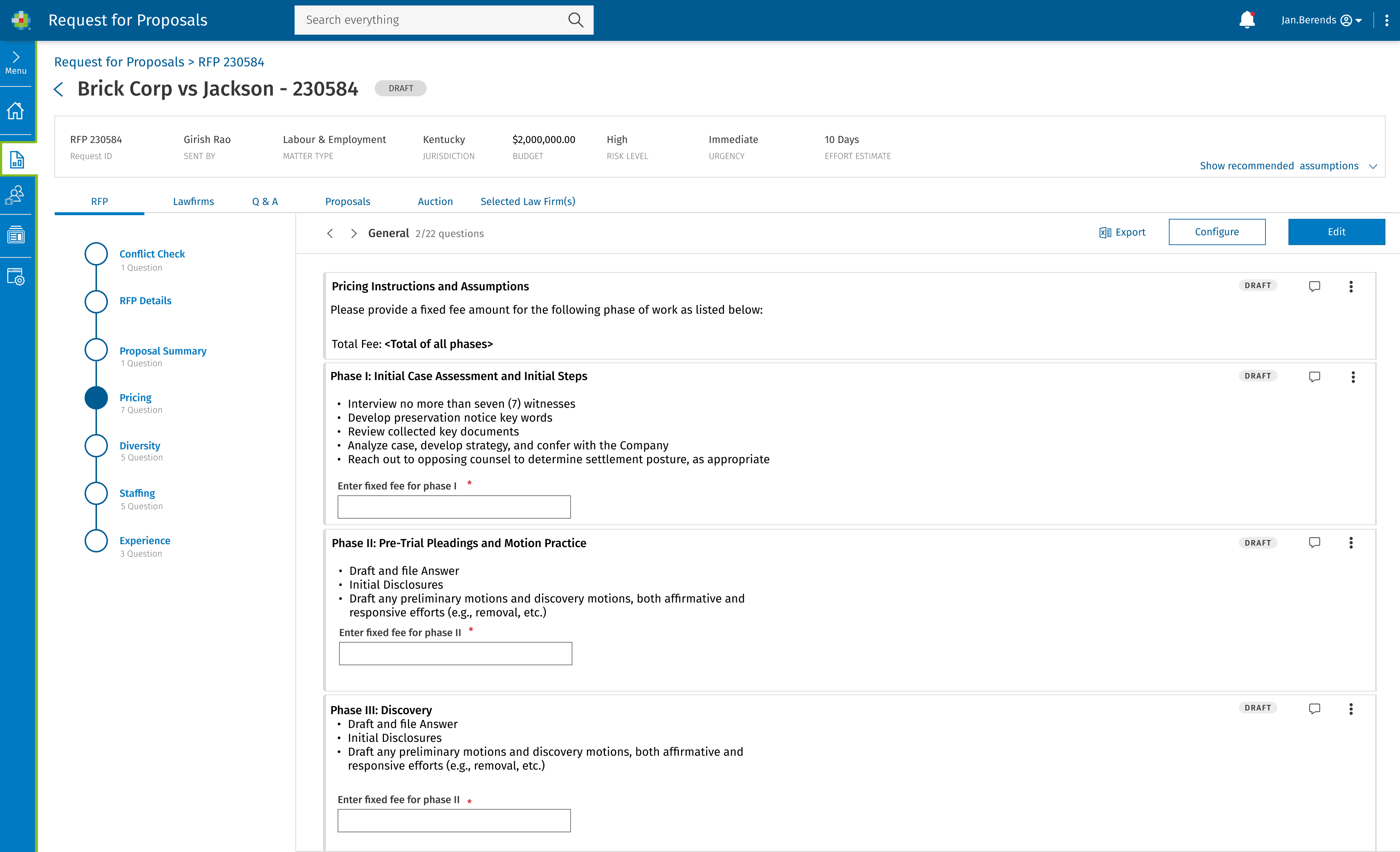
Round 1 User Testing
We tested initial concepts with users from existing client companies, focusing on three core flows. The goal was to find out where the value landed, where the friction was, and what users were actually trying to do at each step.
Summary Insights
Draft Legal RFP
Clear value, but users struggled to find key functions. Findability was the blocker. Concept resonated; execution clarity was the gap.
Takeaway: the concept resonated. Execution clarity was the gap to close.
Selecting & Inviting Law Firms
Strongest flow. All users succeeded. Use as the pattern for the others.
Takeaway: the model worked. Use it as the pattern for the other flows.
Proposal Comparison between Firms
Most completed it, but entry points were unclear. Valuable; needs more interaction signal.
Takeaway: the feature is valuable, the interaction design needs more signal.
Overall Takeaways
Concept resonated; the barrier was findability and task clarity. Navigation, labels, onboarding were the highest-leverage fixes.
Round 2 would focus on closing those specific gaps.
Round 2 User Testing
Round 2 tested whether the updates from Round 1 actually worked. Focus was on the specific failure points (drafting findability, comparison entry points, dashboard clarity) and whether users could now move through them without help.
Summary Insights
What Users Valued
Users called out the integrated workflow as a clear efficiency lift over the tools they were using before. The comparison dashboard became the highest-valued feature by the end of testing, with users specifically pointing to the side-by-side firm view and the dashboard visualizations as decision-grade tools. Centralized communication, audit trails, and customizable templates closed out the strongest signals.
Pre-Launch Iterations & Agenda
Recommendations Going Into Launch
Ship Before Launch
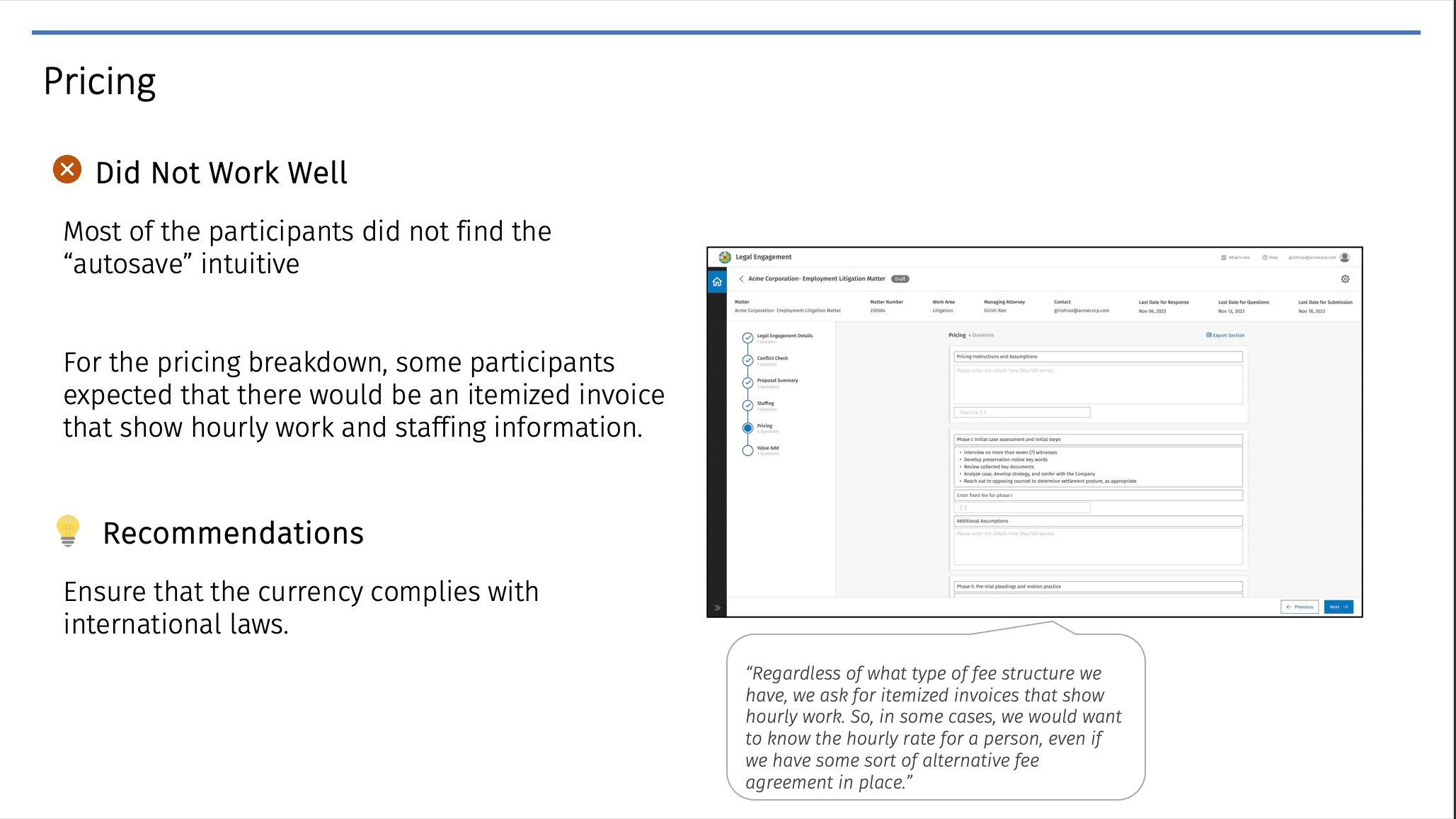
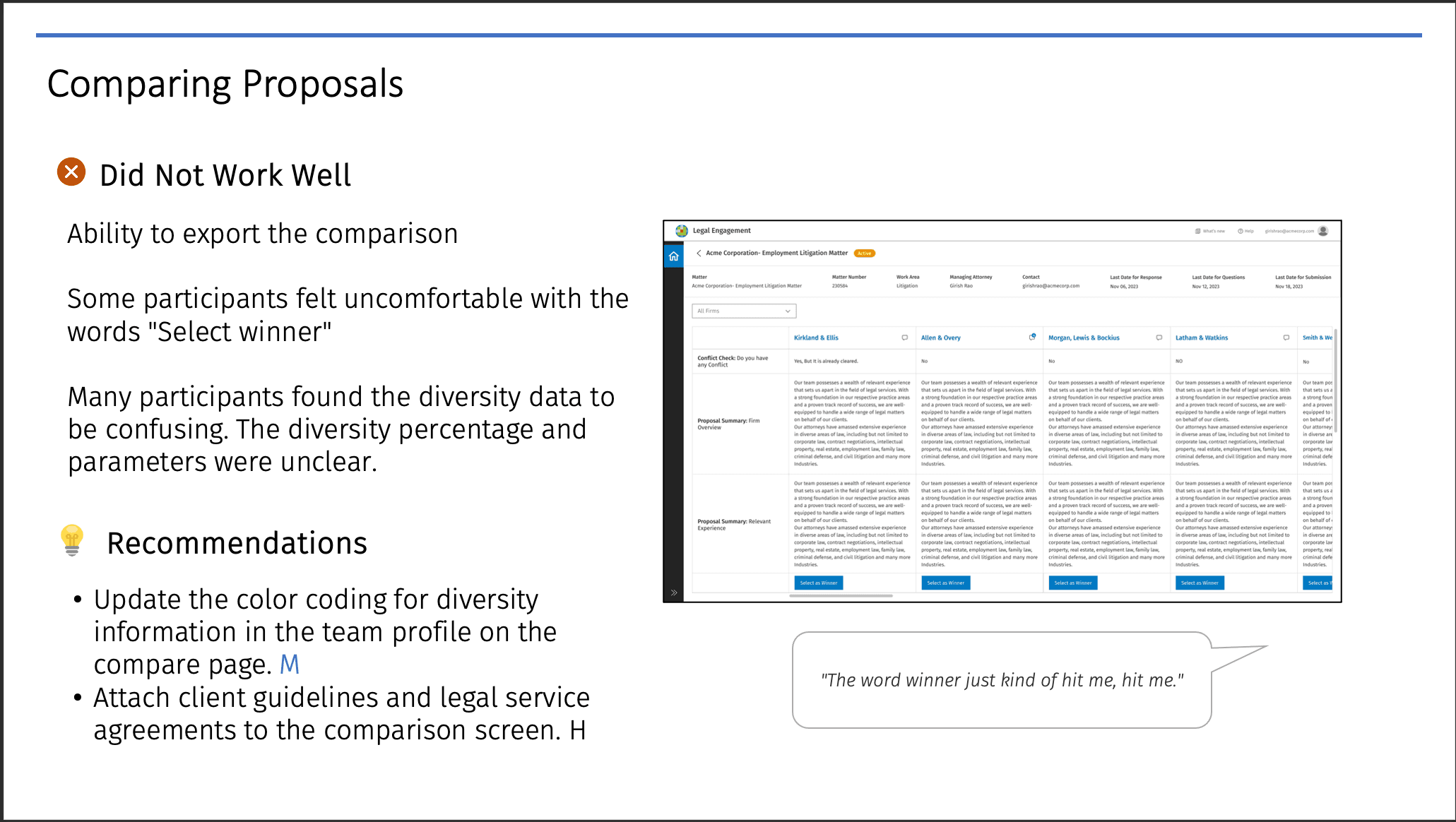
Comprehensive report creation and export directly from the dashboard. Personalized email notifications to law firms post-selection. Export functionality on the comparison page. Compliance with international currency and financial regulations. Client guidelines and legal service agreements made accessible at the point of selection.
Next Up
Direct document upload from law firms inside the platform. Refined color coding for diversity metrics in team profiles to improve clarity and accessibility.
Future Considerations
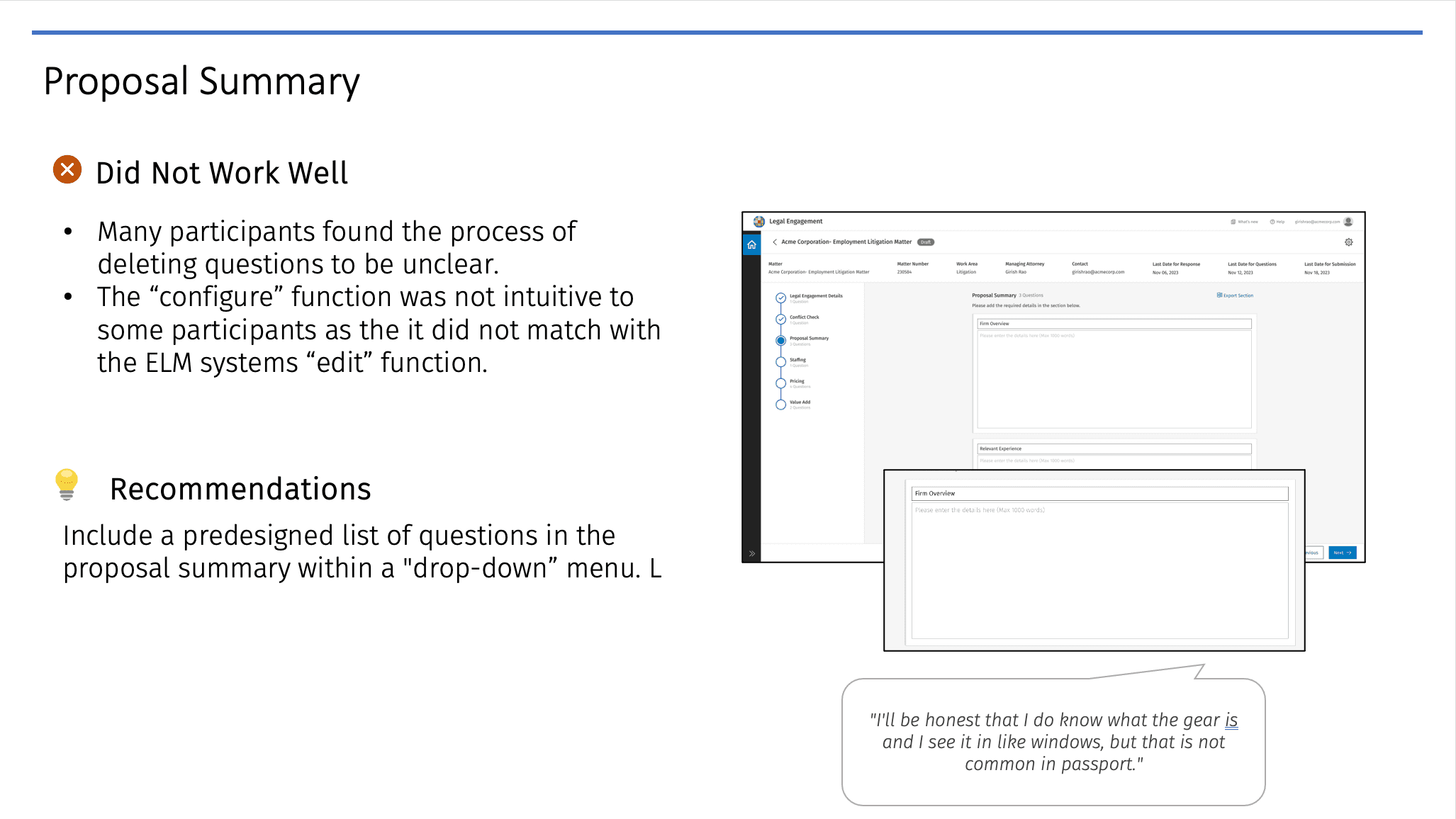
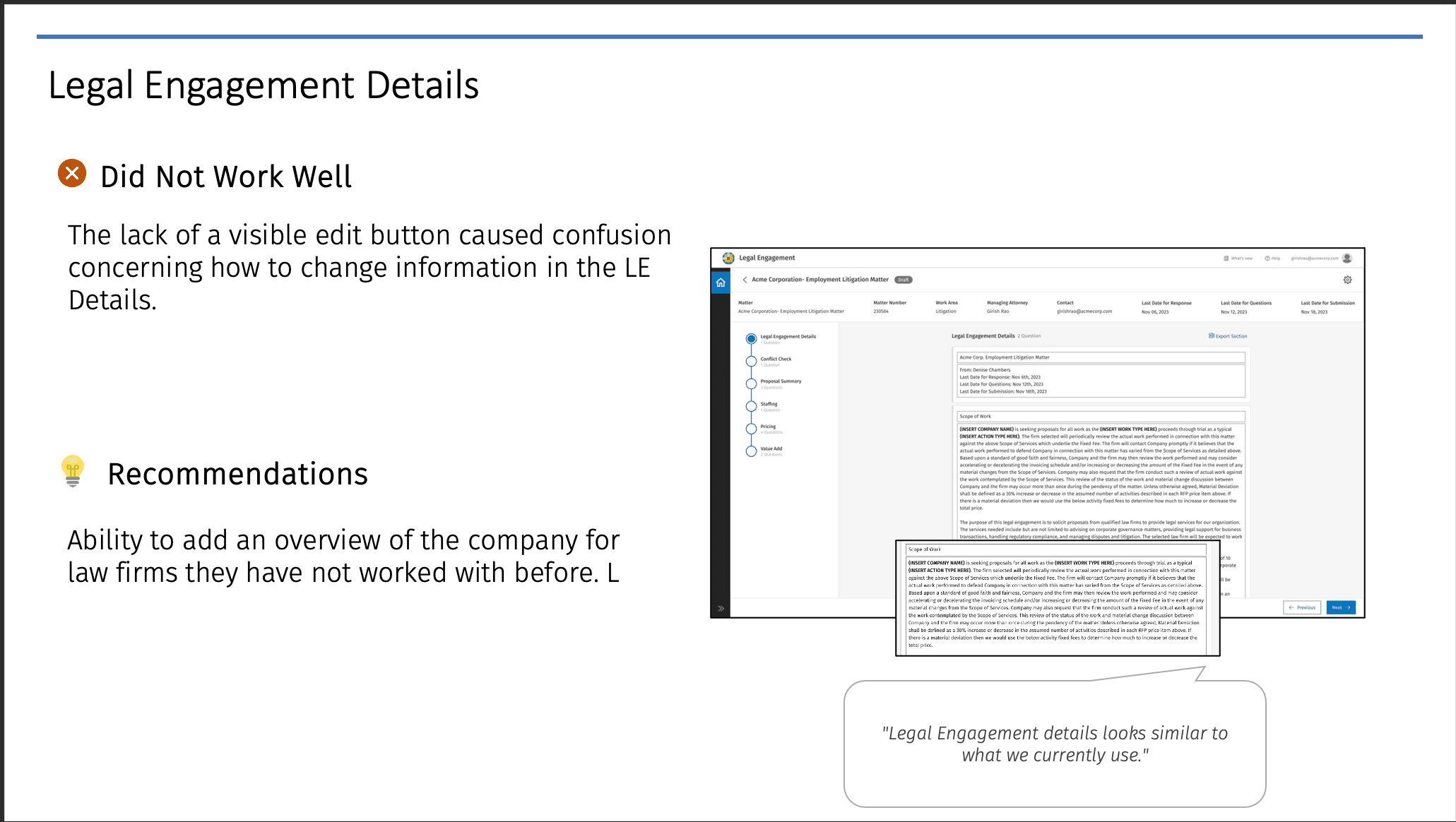
Surface the full legal engagement scope to firms immediately after conflict check. Provide a company overview to new firms for context. Pre-populated suggested questions in the proposal summary for easier review.
Stakeholder Ask
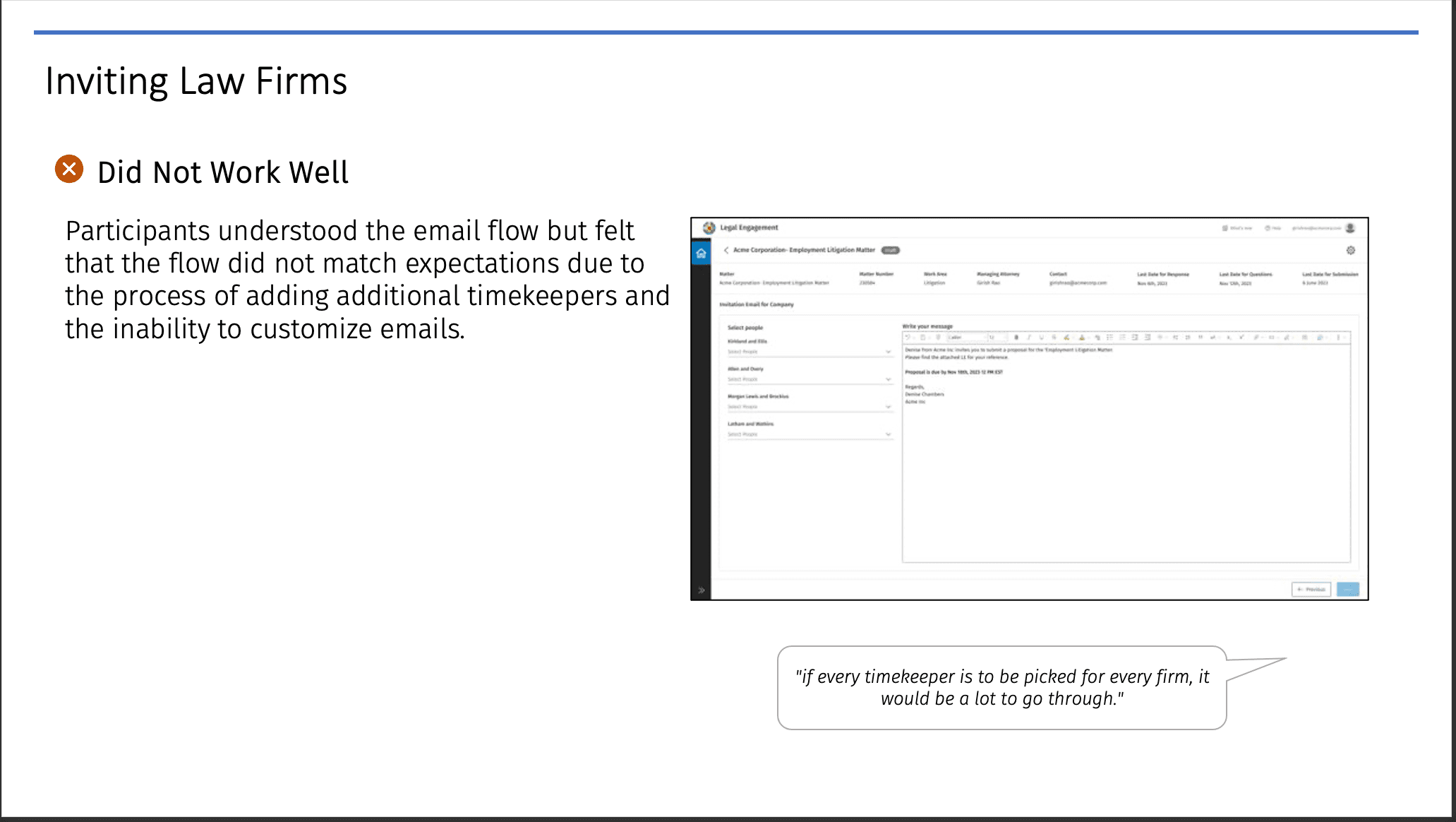
Add timekeepers directly from the staffing page for faster team setup.
User Personas
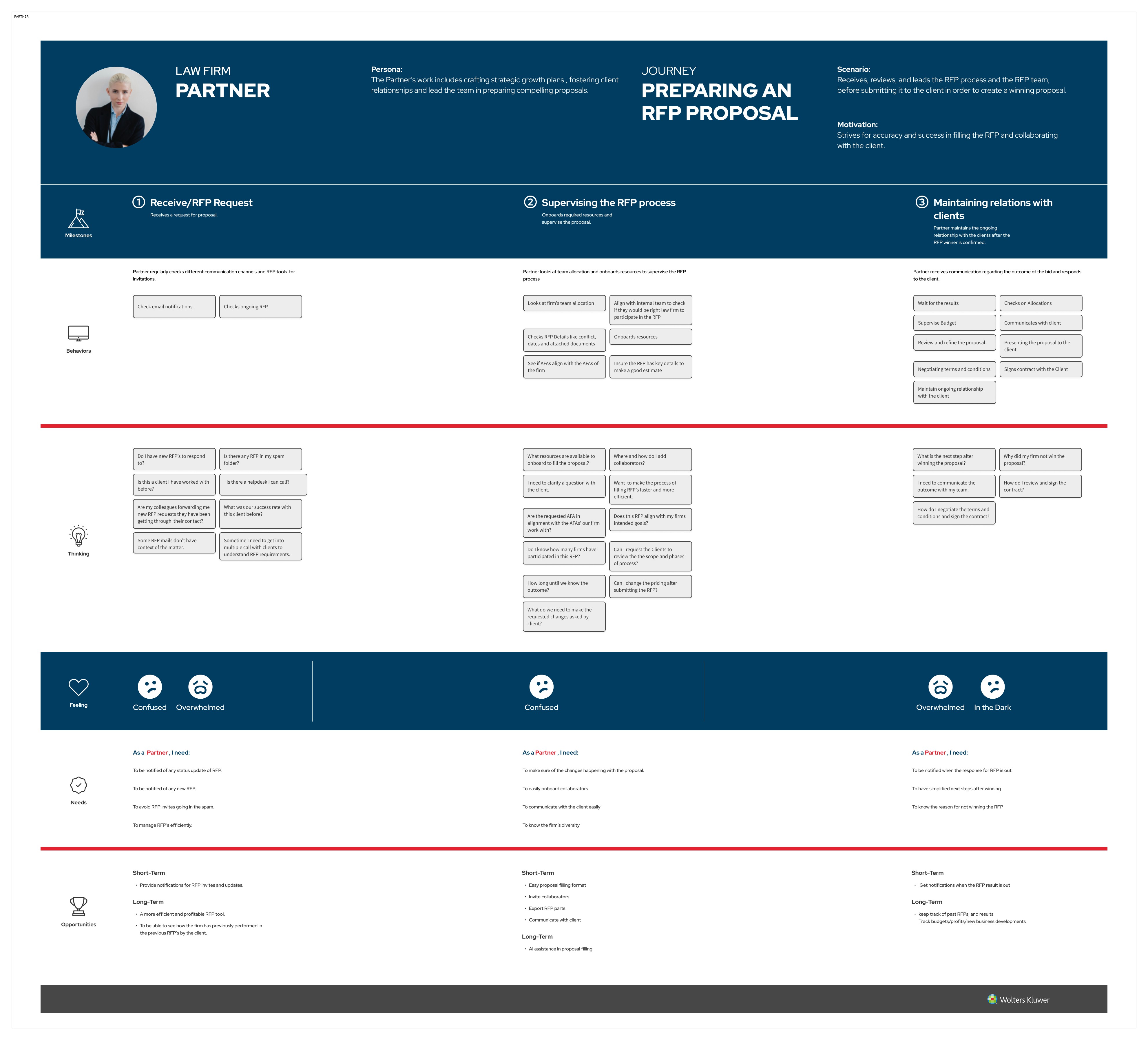
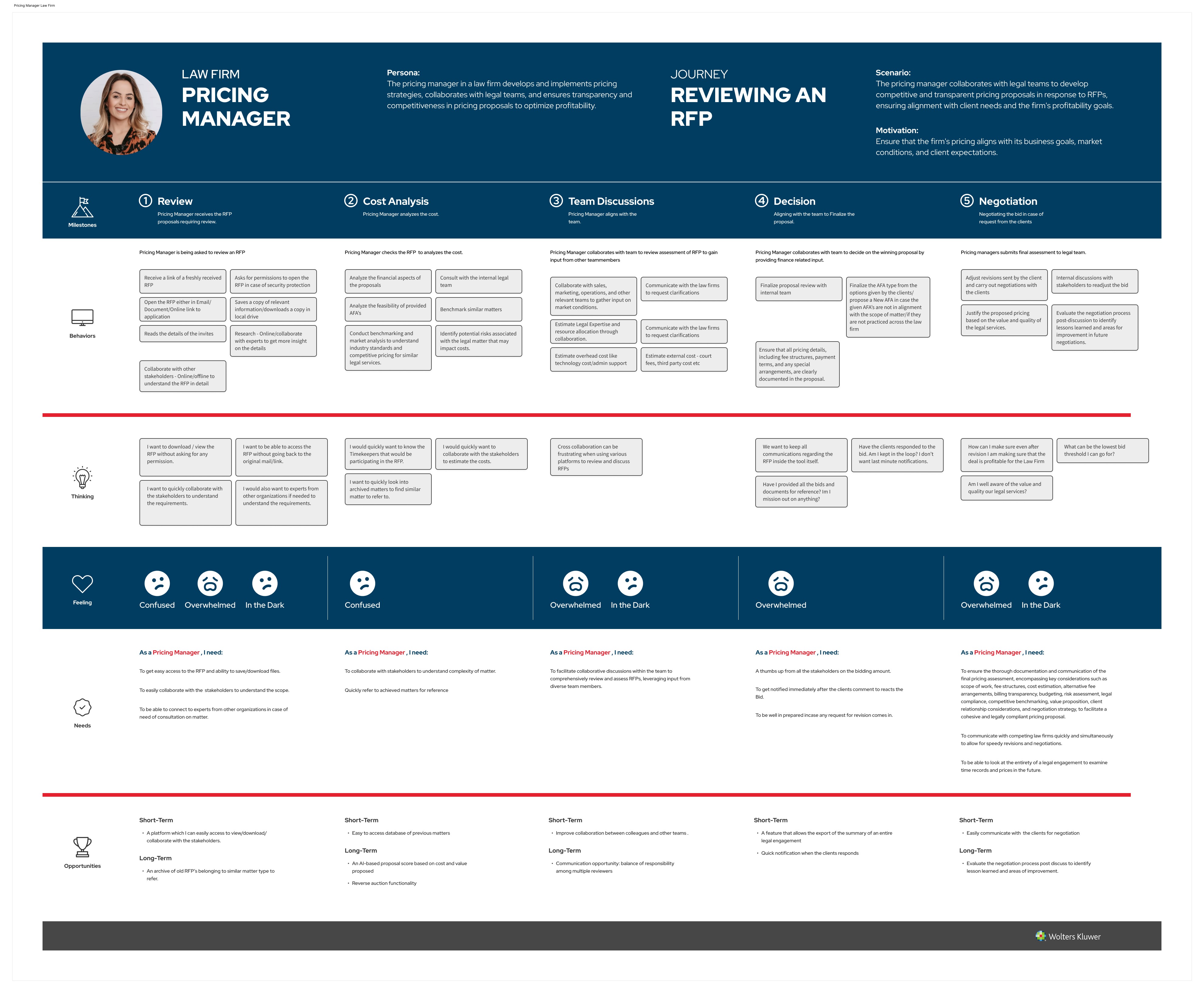
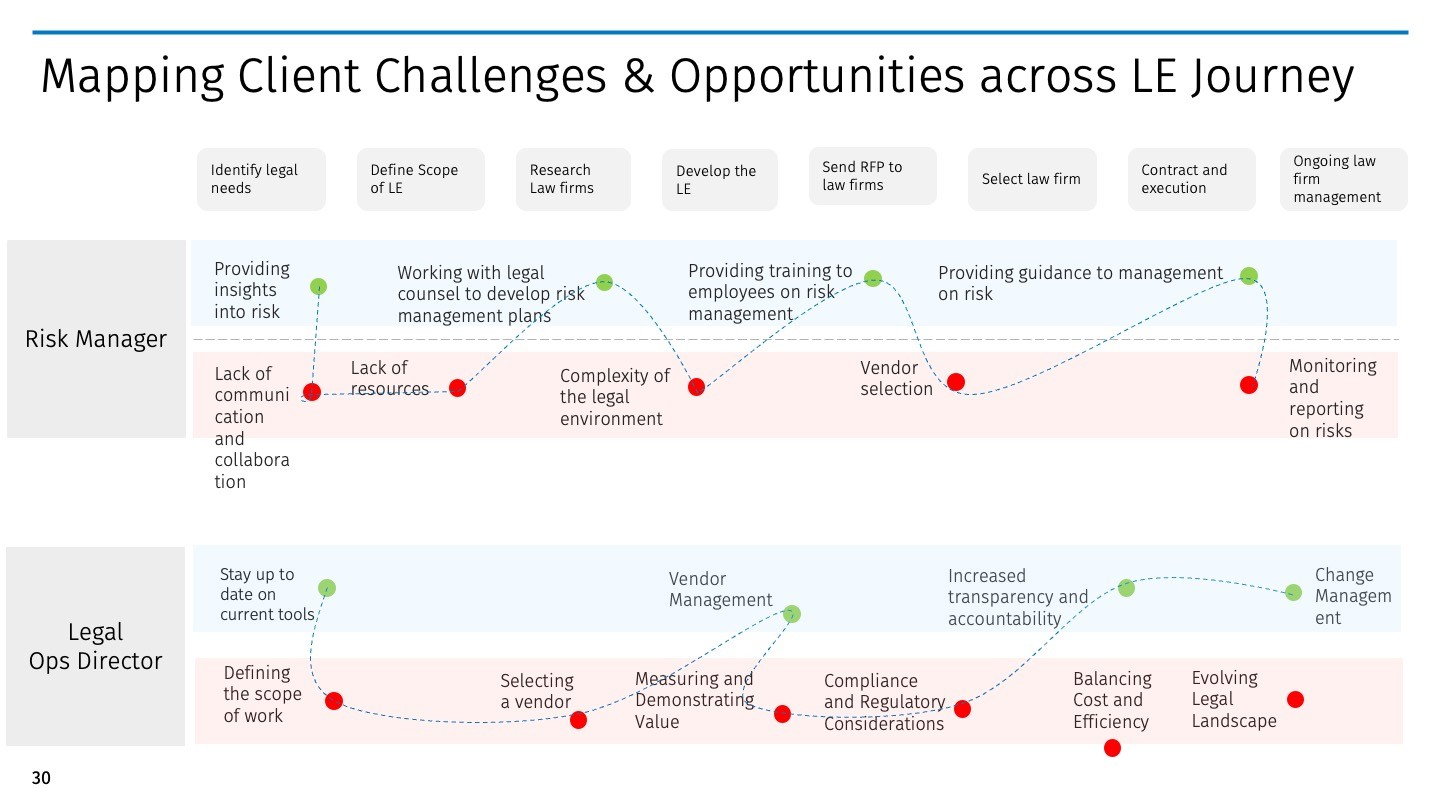
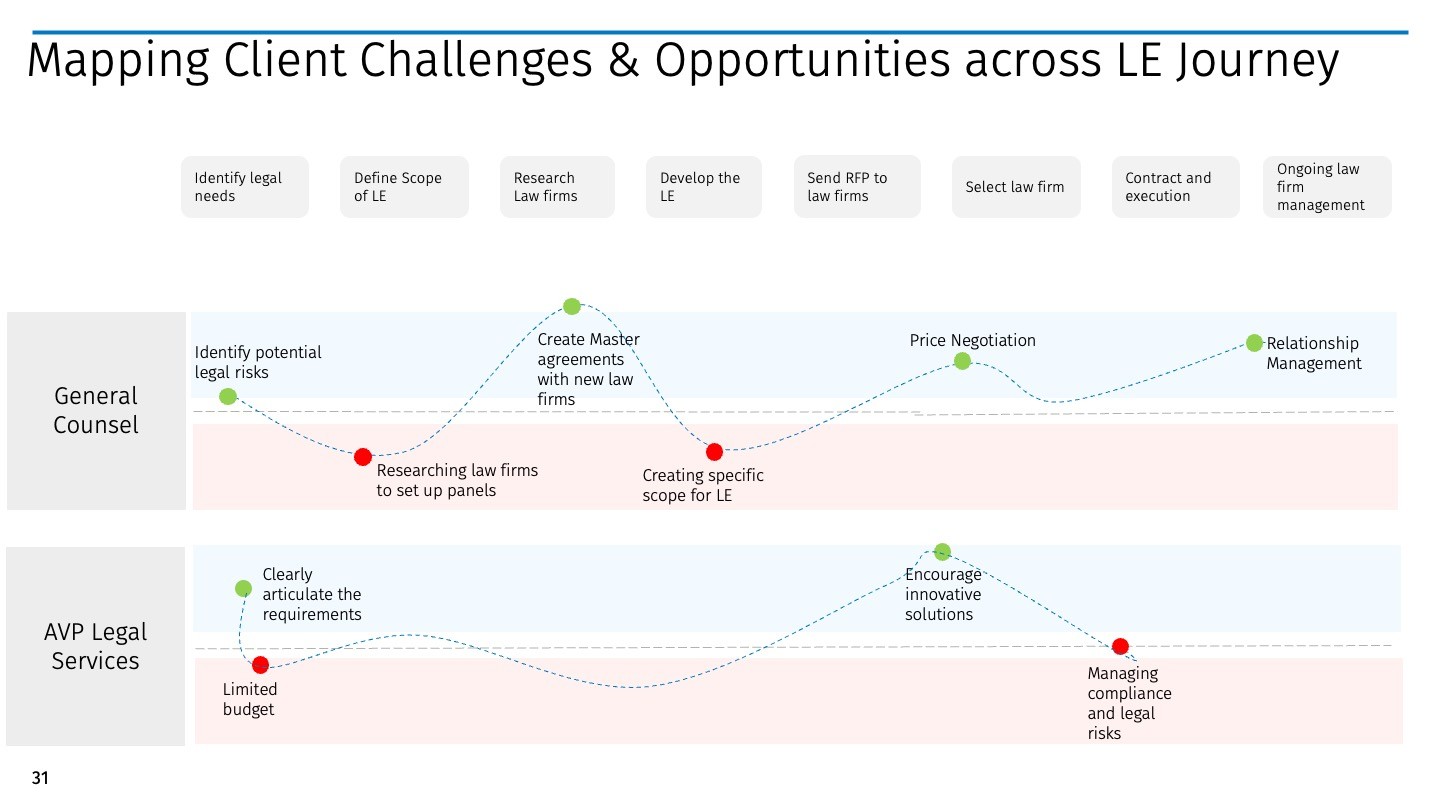
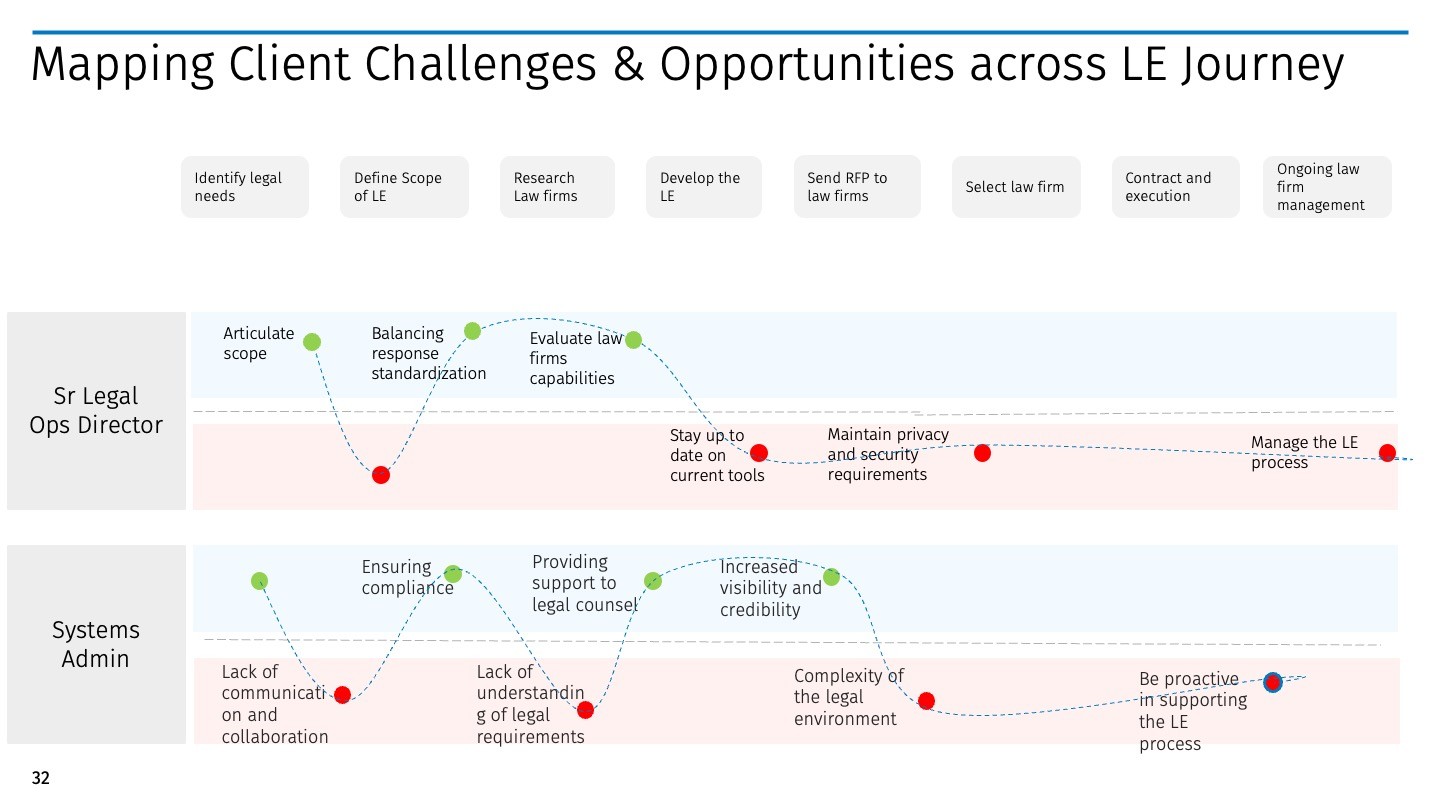
Six personas built from usability testing and client research. Three on the client side (Legal Ops Director, Client Attorney, Client Pricing Manager) and three on the law firm side (Partner, Law Firm Attorney, Law Firm Pricing Manager). These shaped two parallel workflow tracks in the product, with information hierarchy, notification logic, and comparison views mapped back to specific persona needs throughout.
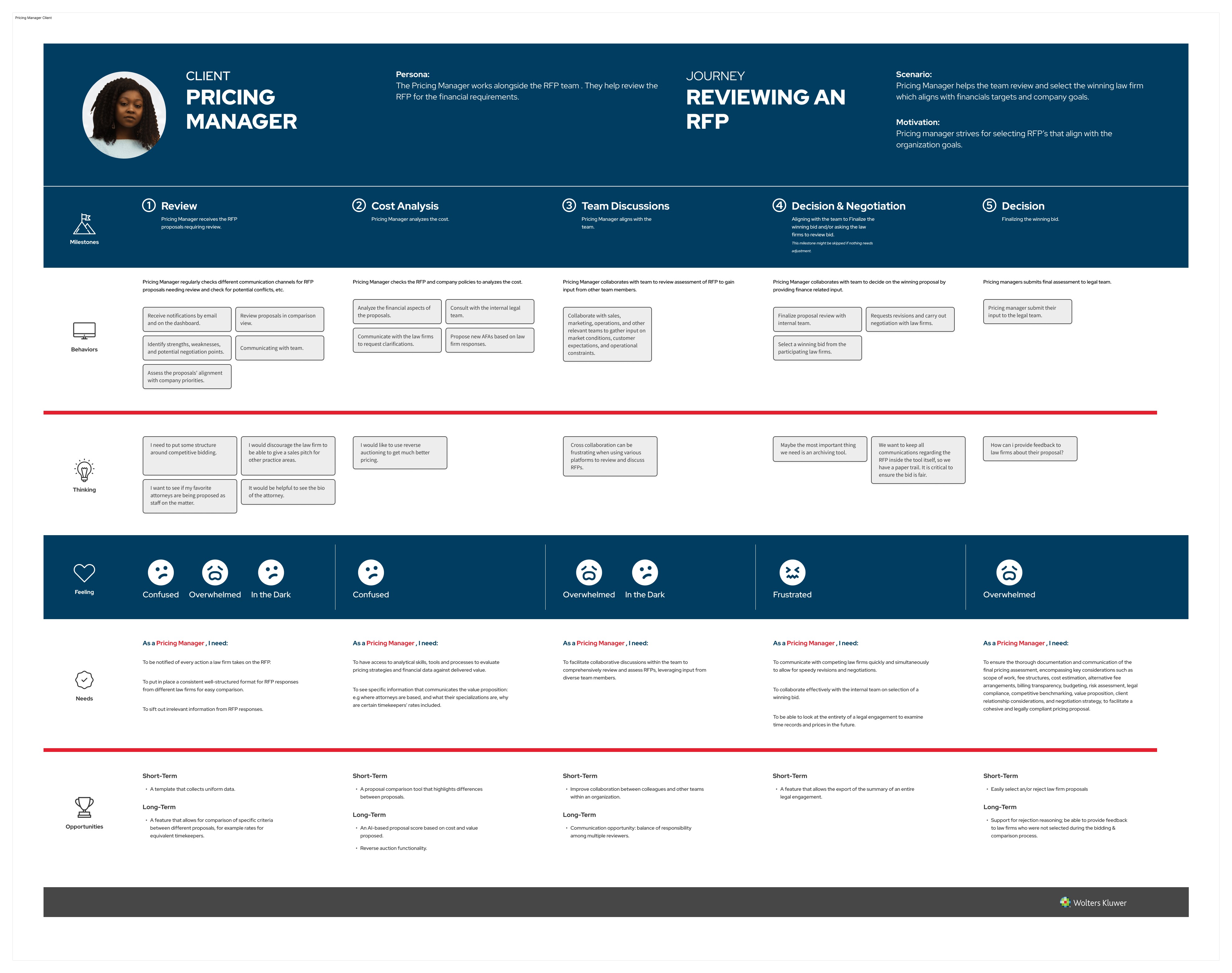
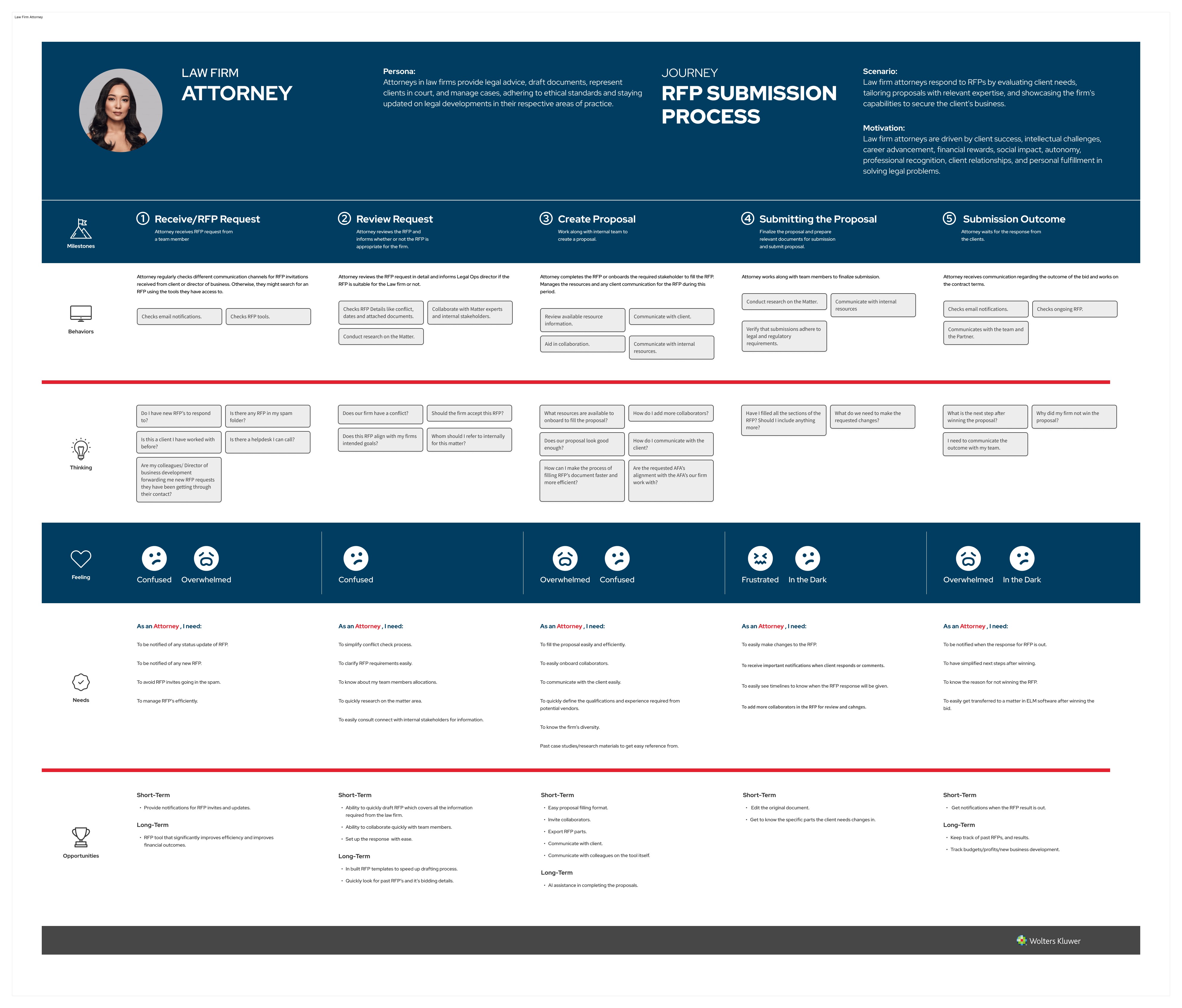
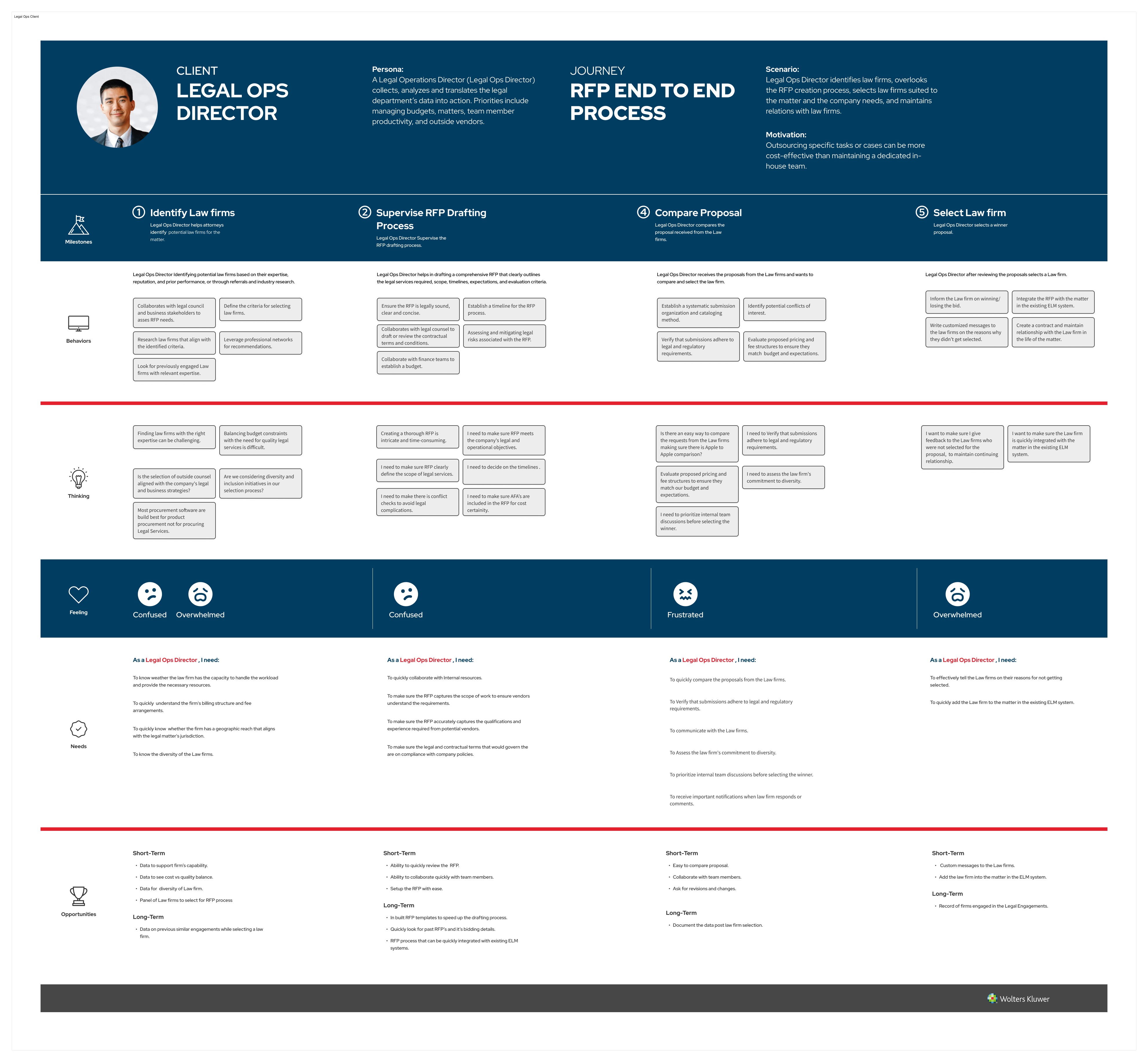
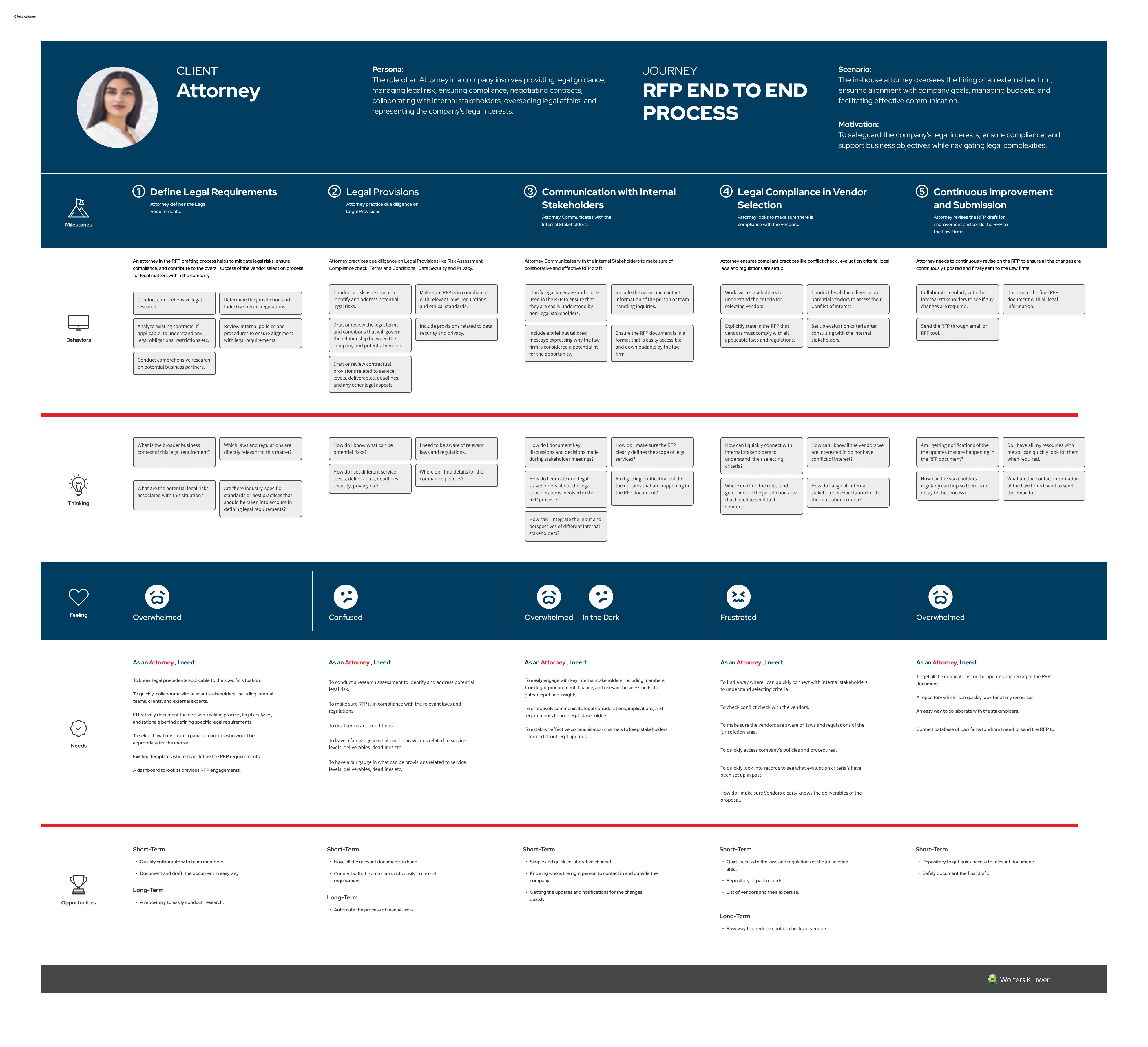
Client Pricing Manager
Owns pricing strategy on the client side. Drove decisions around how rates, alternative fee arrangements, and staffing models are surfaced for comparison.
Law Firm Attorney
Responds to RFPs from the firm side. Shaped the submission flow, document upload patterns, and the formatting cues firms needed to respond consistently.
Legal Ops Director
Translates legal department data into decisions for finance and leadership. Drove dashboard structure, spend visibility, and the export and reporting requirements.
Partner (Law Firm)
Owns client relationships at the firm. Influenced how proposals are framed, how firm differentiators are surfaced, and the firm-side preview before submission.
Client Attorney
In-house counsel managing matters and risk. Shaped the matter intake handoff, conflict check flow, and the audit trail requirements.
Law Firm Pricing Manager
Owns pricing strategy on the firm side. Drove how firms construct proposals, present staffing, and respond to client pricing requirements.
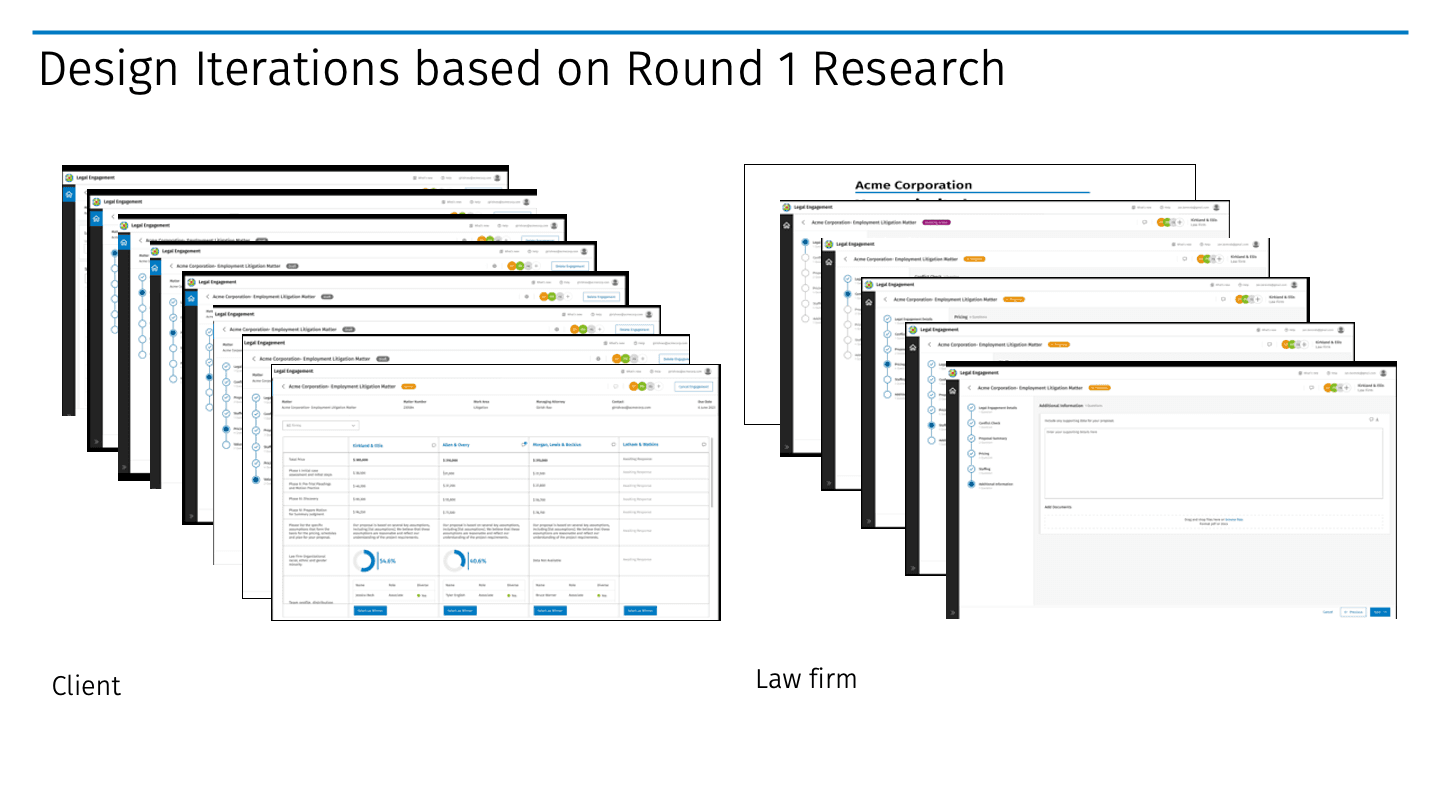
User-Tested High-Fidelity Screens
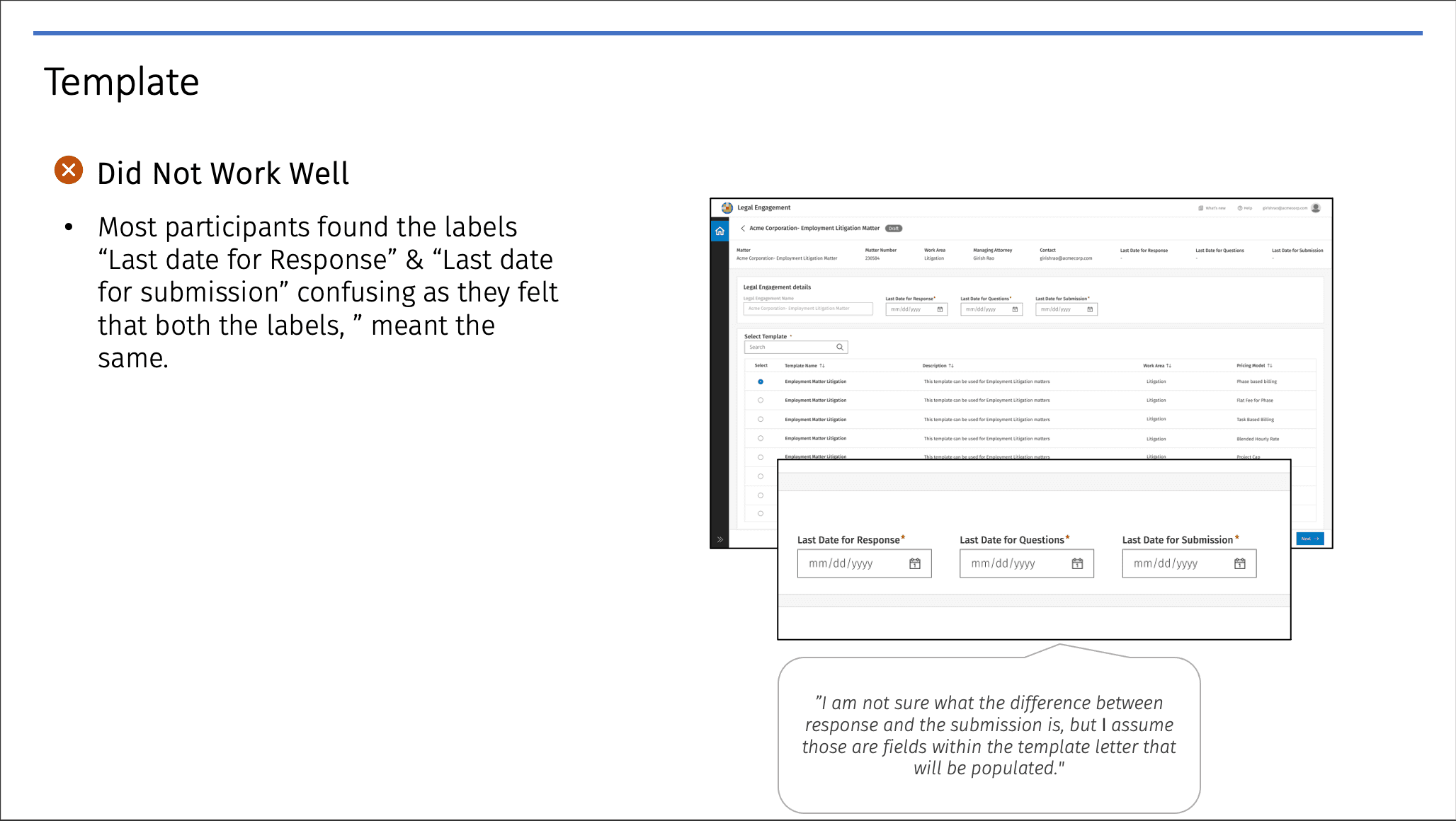
High-fidelity screens taken through usability testing with users from existing client companies. Each iteration was validated against real workflows before moving forward.
Design Constraints
Data Confidentiality & Compliance
Legal data governance wasn't just a backend concern. Role-based access control and encrypted channels shaped what information could be surfaced at each stage. We treated that as a UX problem, not a constraint to work around. The result is a flow where security and usability stay aligned.
System Interoperability
Integrating into Passport and TyMetrix 360 meant the handoff points between systems needed to feel seamless, not technical. We mapped those seams as user-facing moments and designed them with engineering in lockstep.
Scalability & Performance
High RFP volume across global departments meant we couldn't afford slow rendering on dashboards or comparison views. Performance shaped how much data we loaded, paginated, and progressively disclosed.
Understanding API Integrations
Integration with Client and Law Firm Systems
APIs that allowed structured data sharing between client legal departments and law firms. Pricing data, RFP responses, and matter details flowed between systems without manual re-entry. The design implication: where to surface that data, when to ask for confirmation, and how to handle conflicts.
Third-Party Data Sources
Third-party legal analytics for pricing trends, firm performance metrics, and market benchmarks. The data was only useful if it landed at the right moment in the decision flow, so we mapped insight surfacing directly to selection touch points.
Authentication and Security APIs
OAuth and SAML-based authentication, so firms could log in with existing enterprise credentials. Reduced friction at first touch and kept security teams confident from day one.
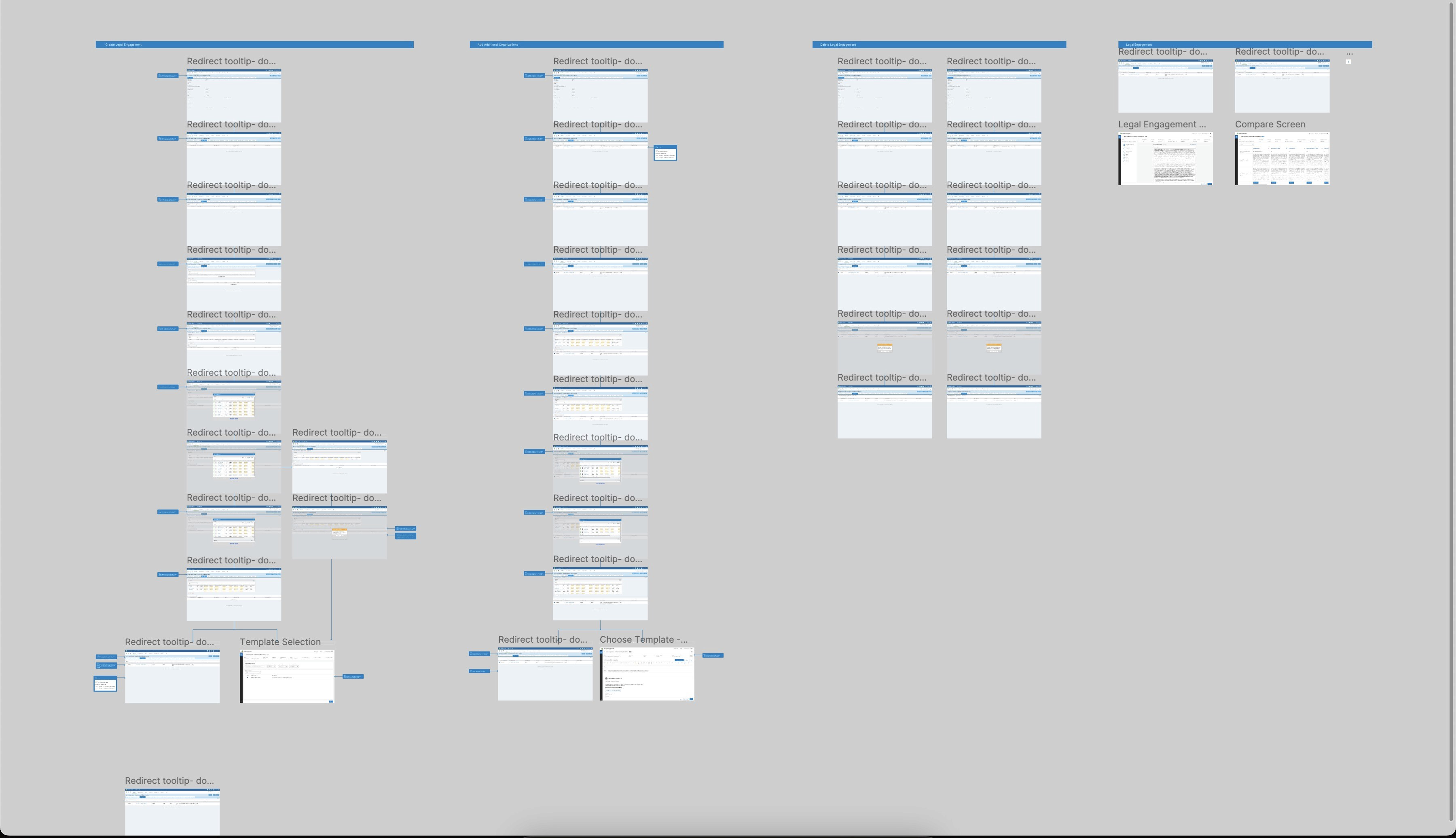
Client Flow Map
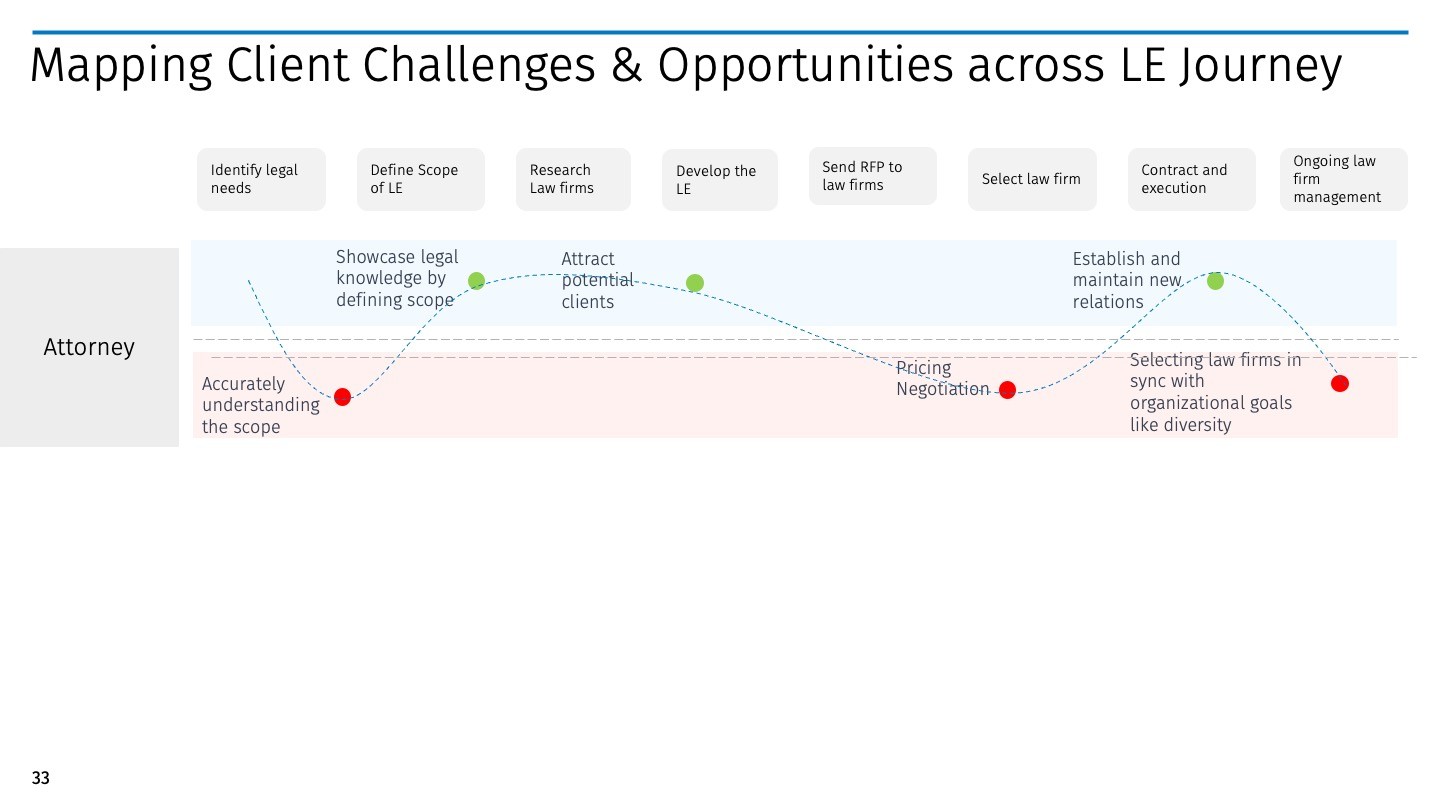
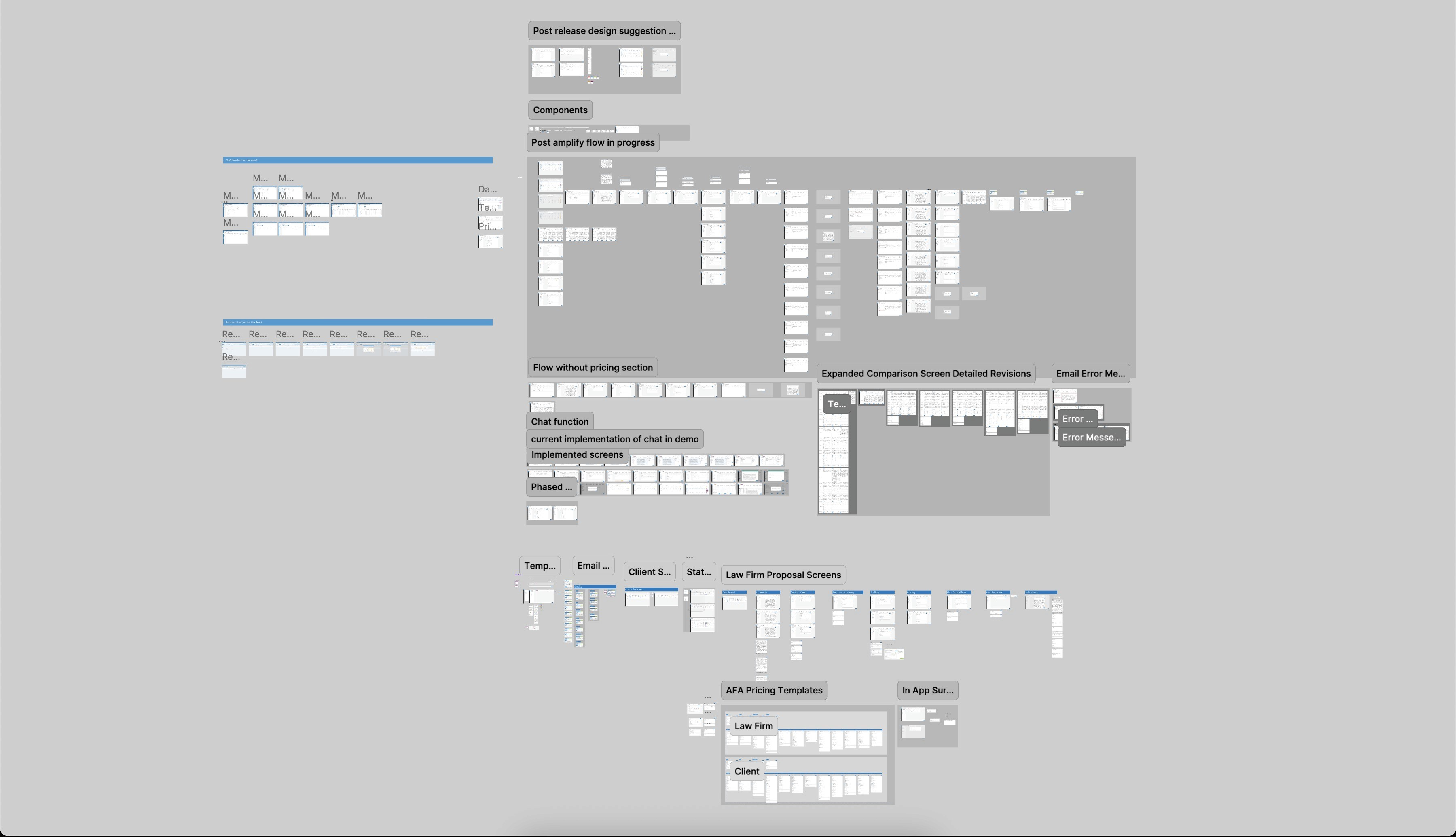
Law Firm Flow Map
Testing & Iterations
What Users Told Us
Comparing fixed vs. hourly fee structures side by side was hard to parse. Dashboards felt overwhelming without clear visual structure. Law firms weren't sure how to format submissions consistently.
What We Changed
Collapsible dashboard sections with smart defaults to reduce cognitive load. Tooltips and status tags for better comprehension. Improved filtering and sorting across all comparison views.
Final Screens
Restricted from public view; available during an official portfolio review.